From hobby to side business. A custom-built e-commerce ecosystem for a physical watch brand.
AUDE is a vertical project where I wore every hat: founder, designer, and developer.
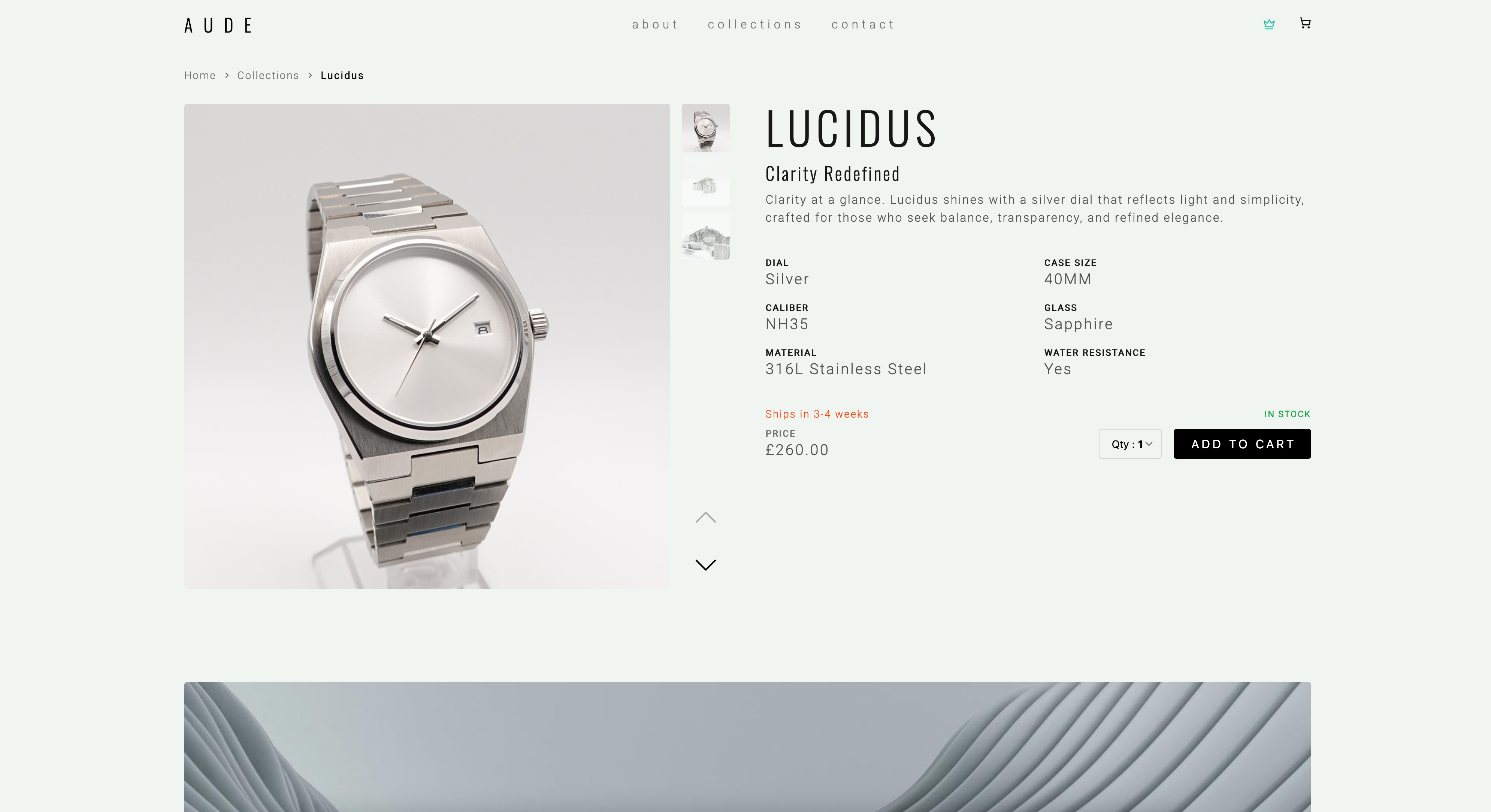
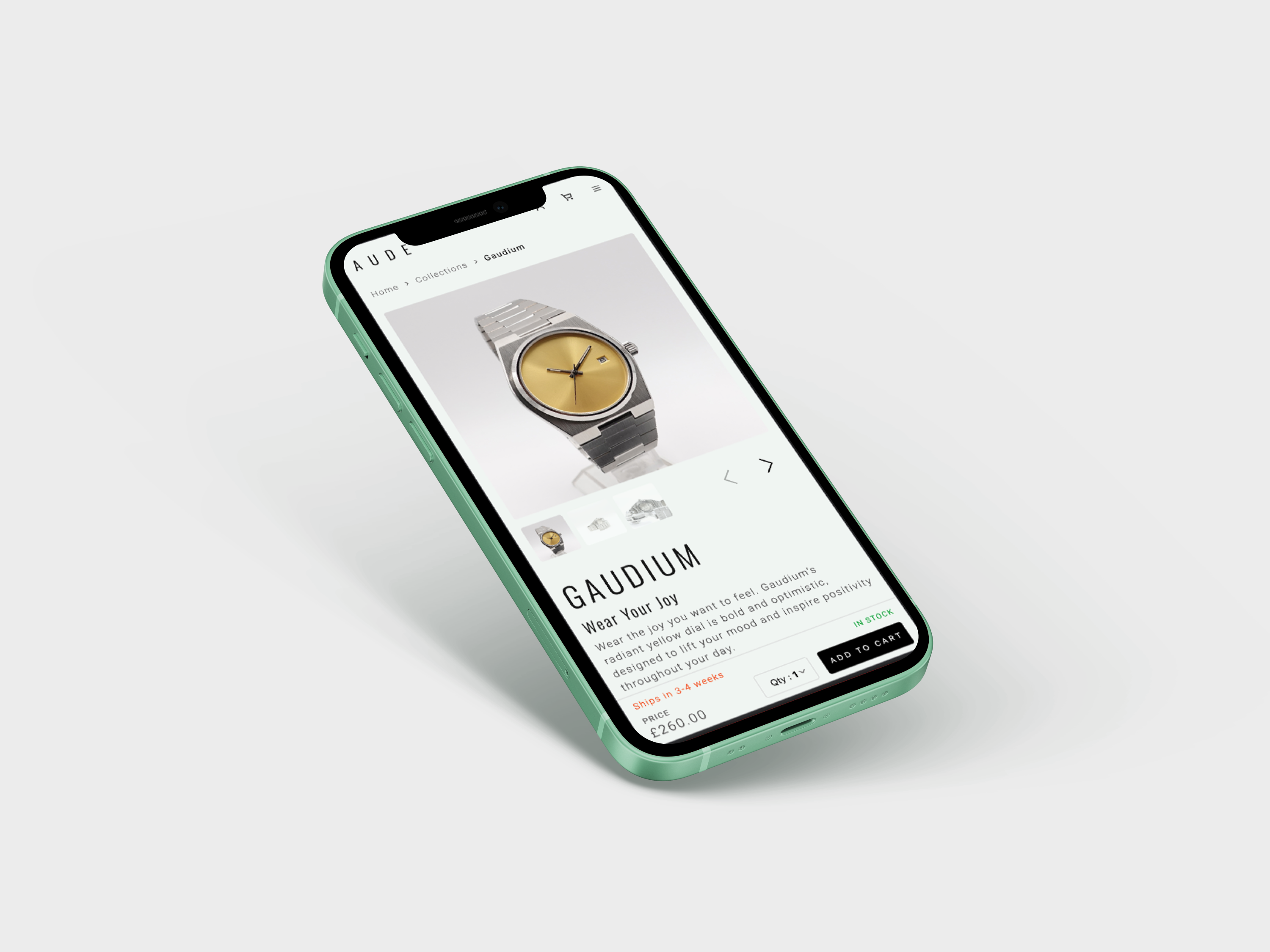
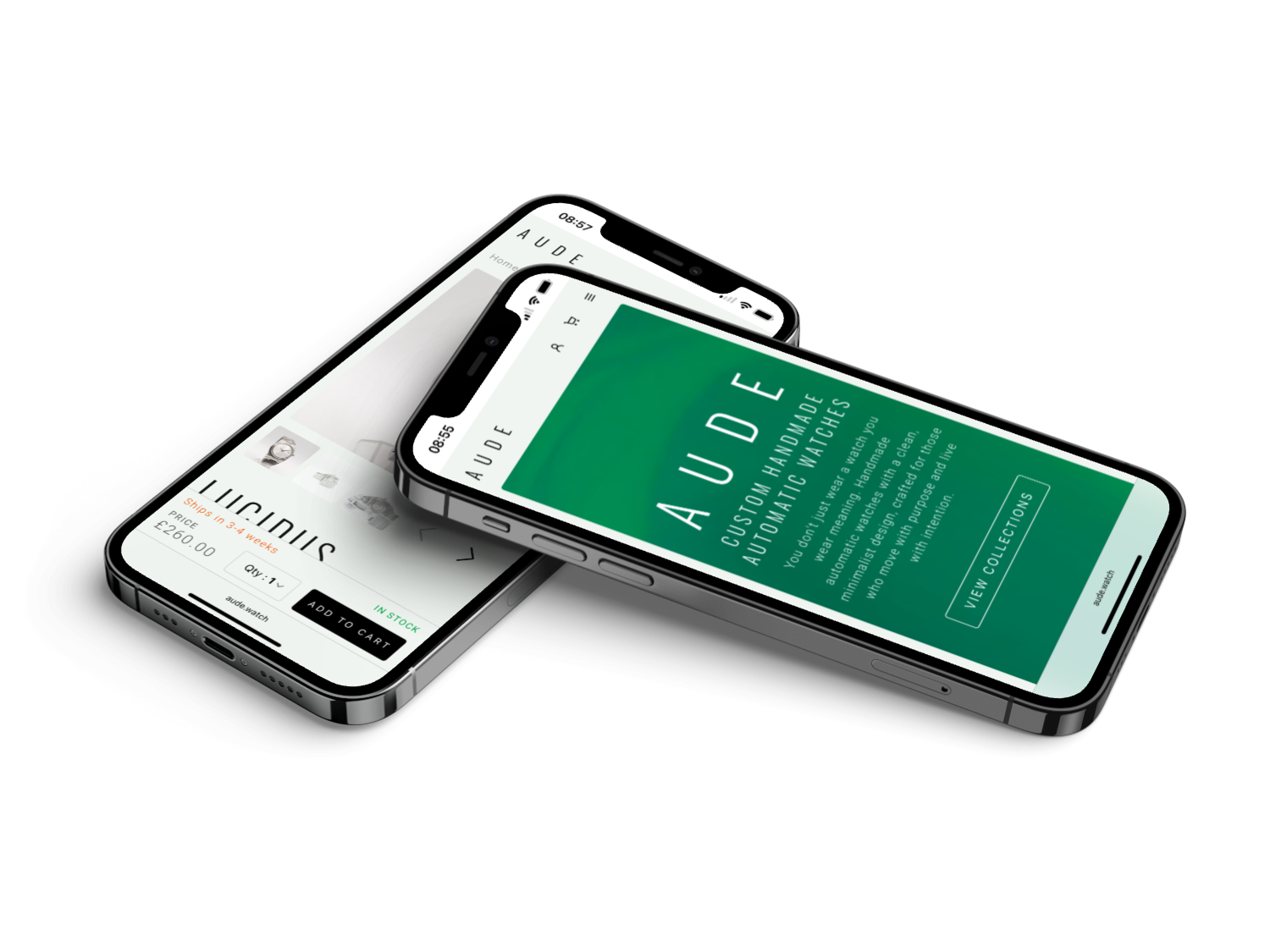
From early Figma wireframes to a lightweight design system, I translated the product vision into a calm, consistent UI across the storefront, client area, and admin area.
Built with Nuxt 3 and Tailwind CSS, powered by Firebase/Firestore, and connected to Stripe payments (with Resend for transactional emails), it is a fully custom e-commerce platform — no Shopify, no templates.
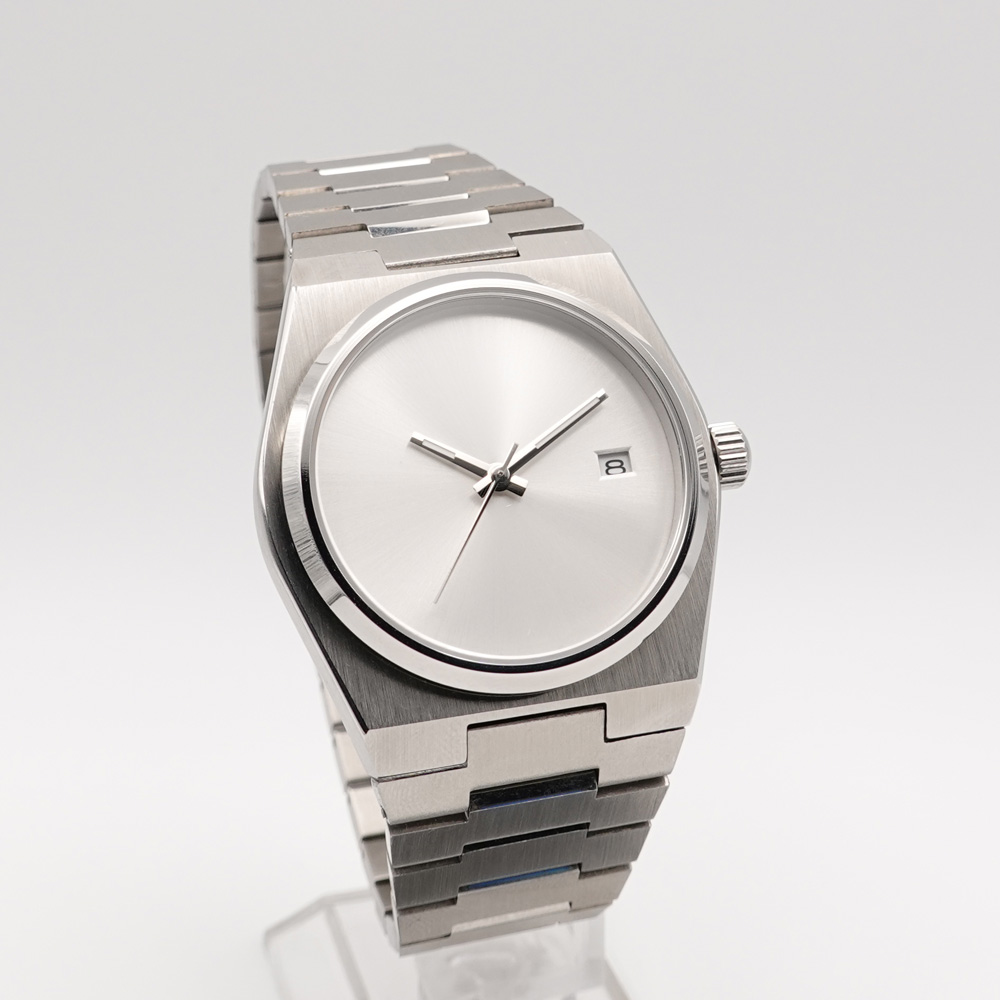
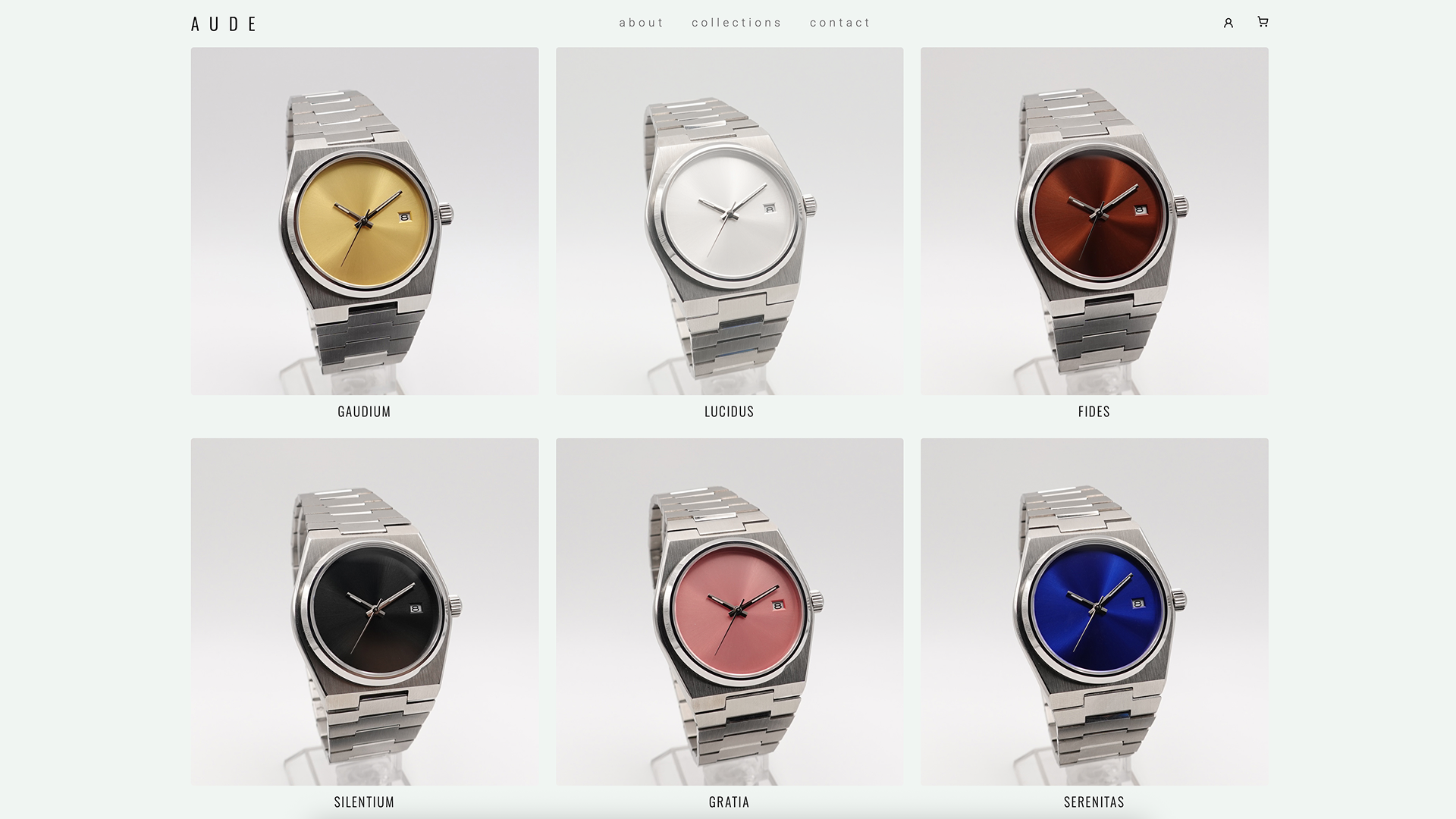
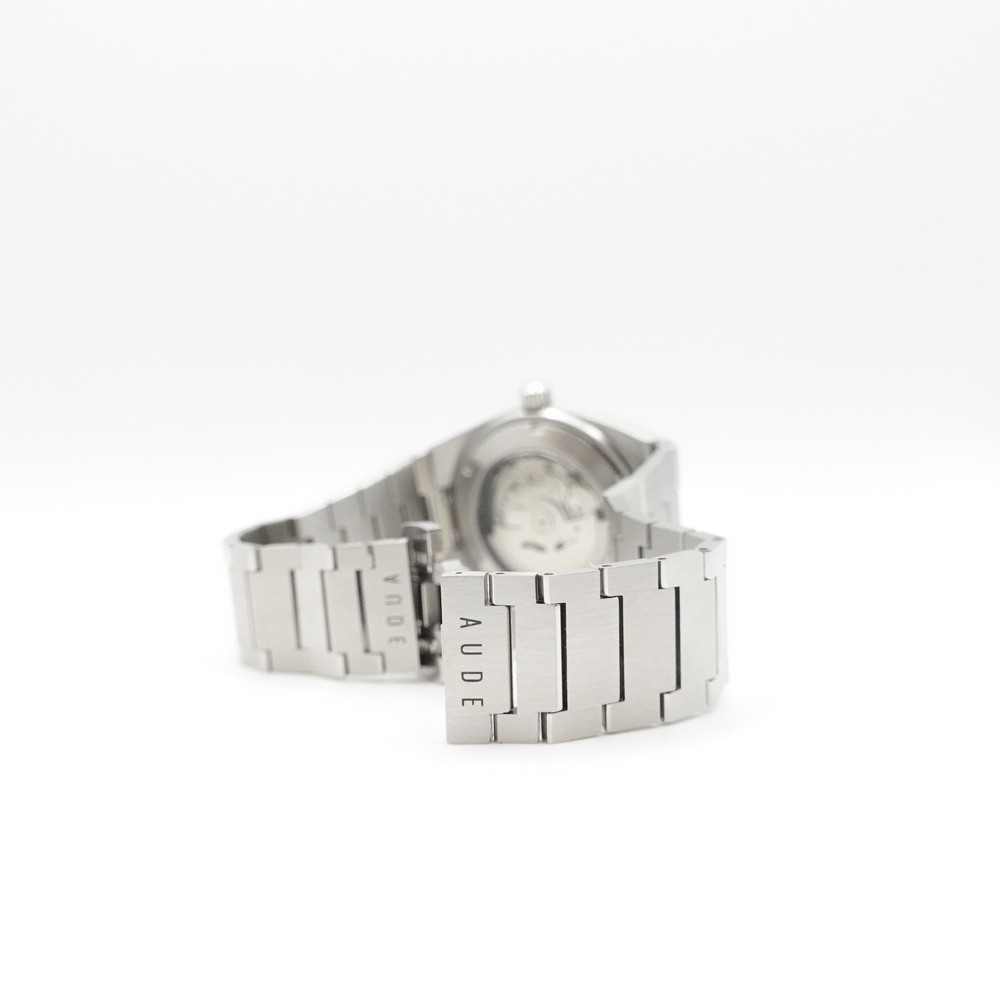
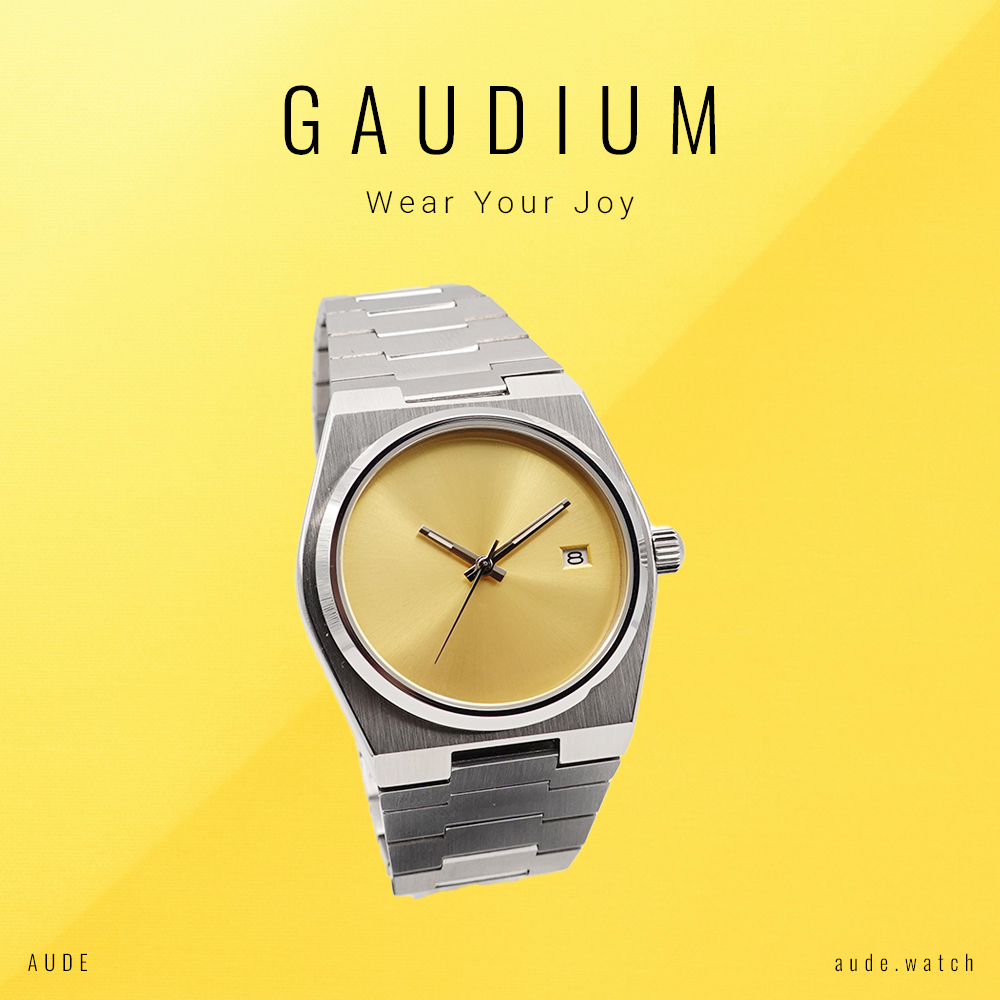
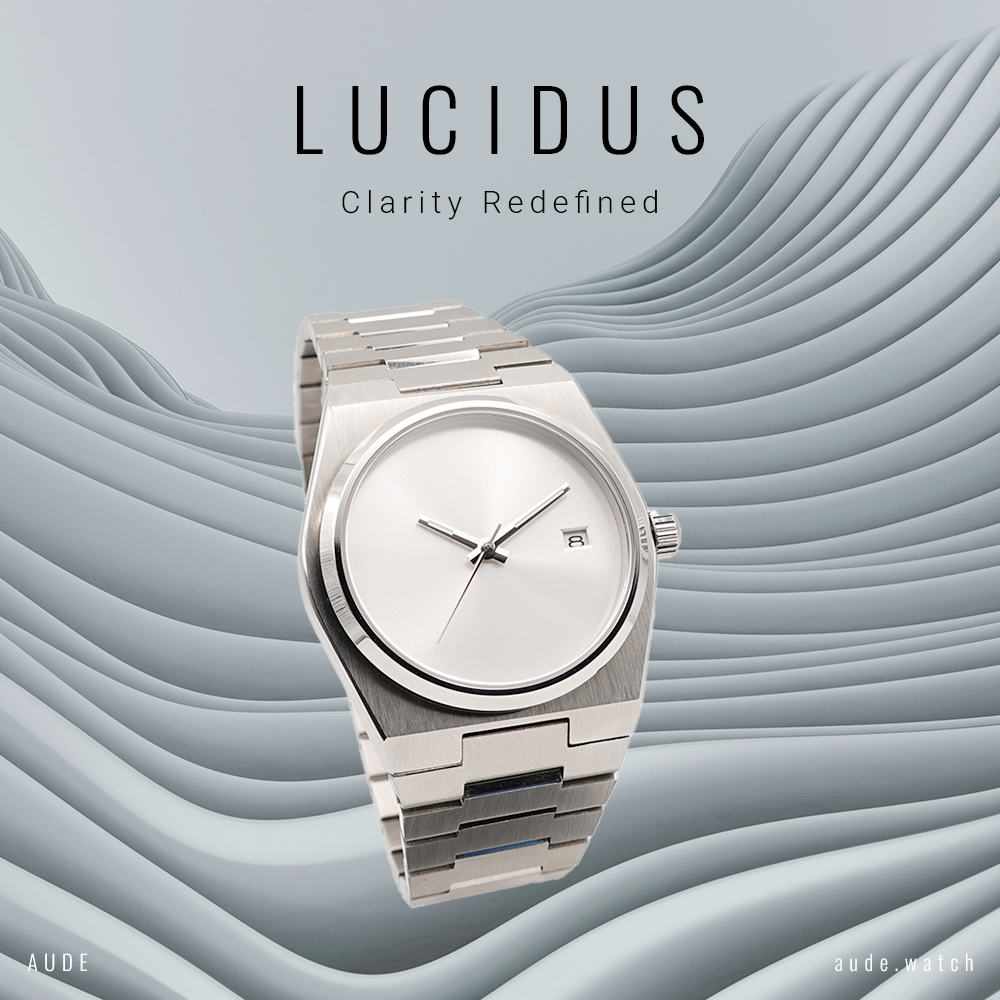
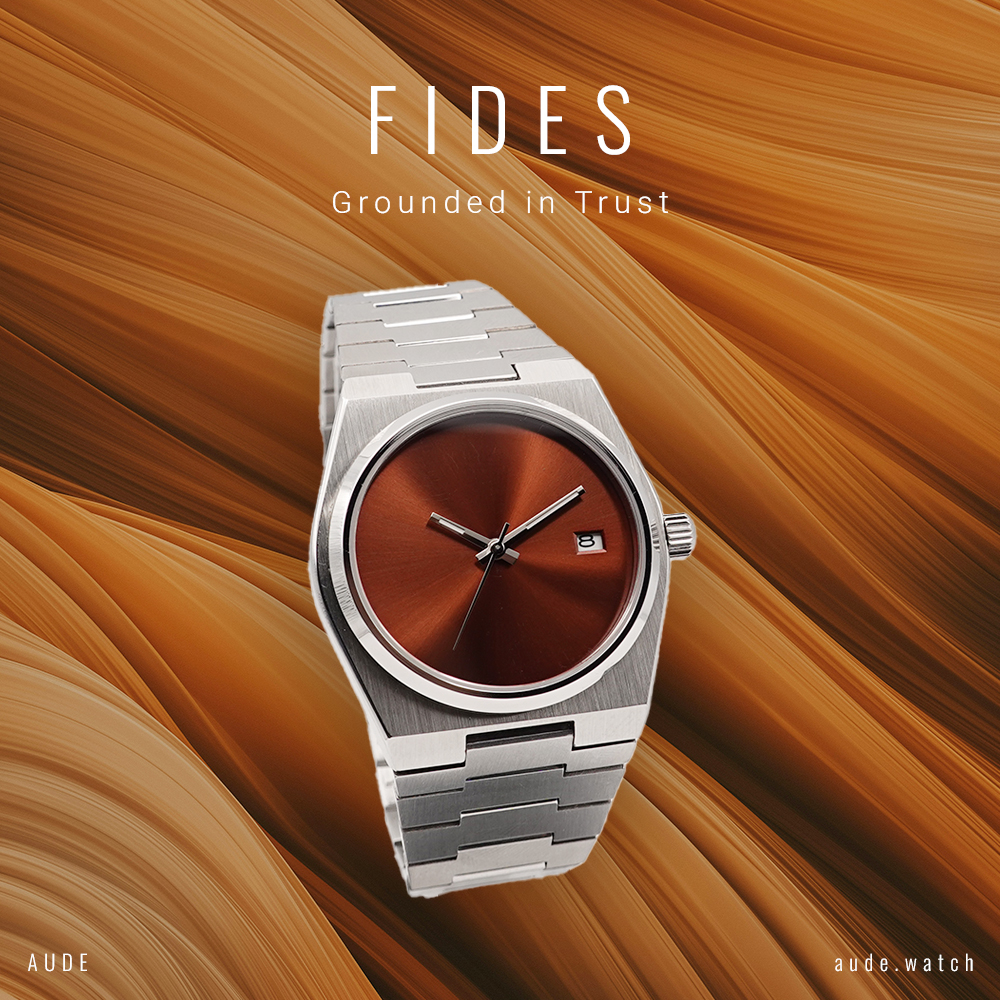
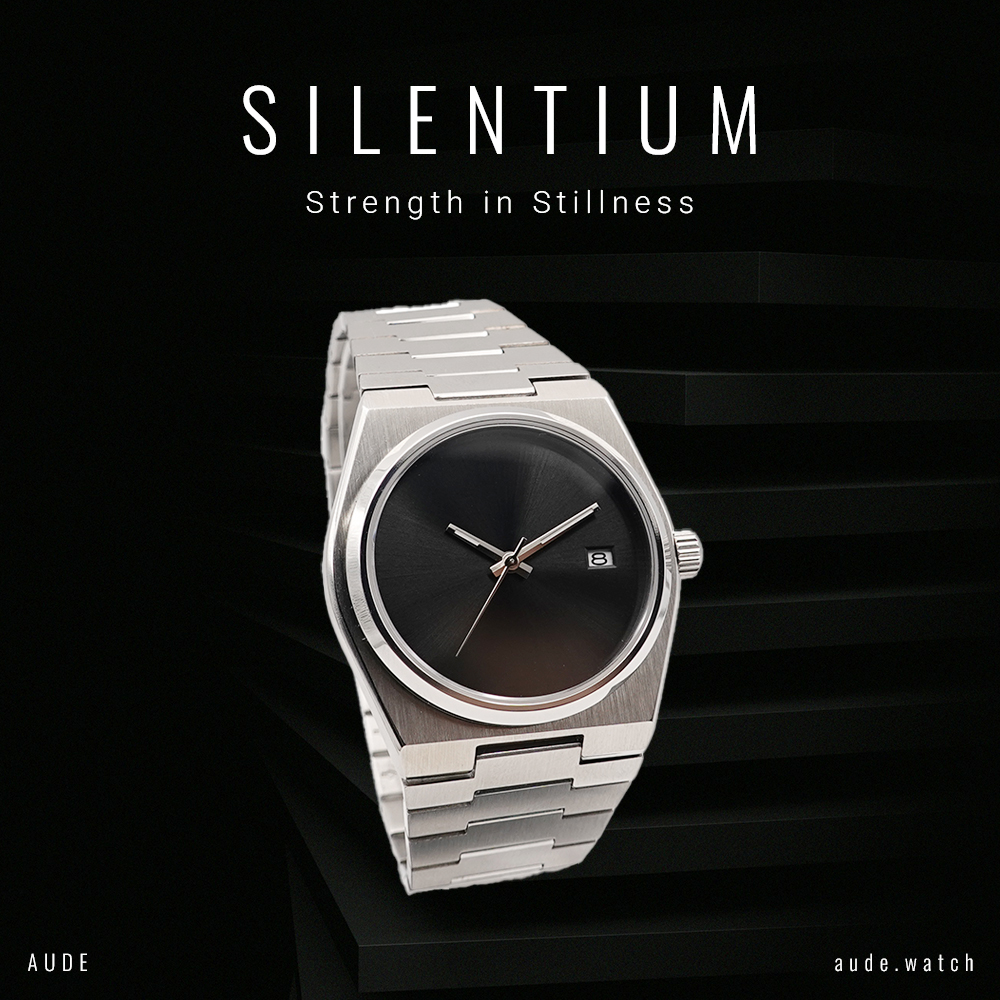
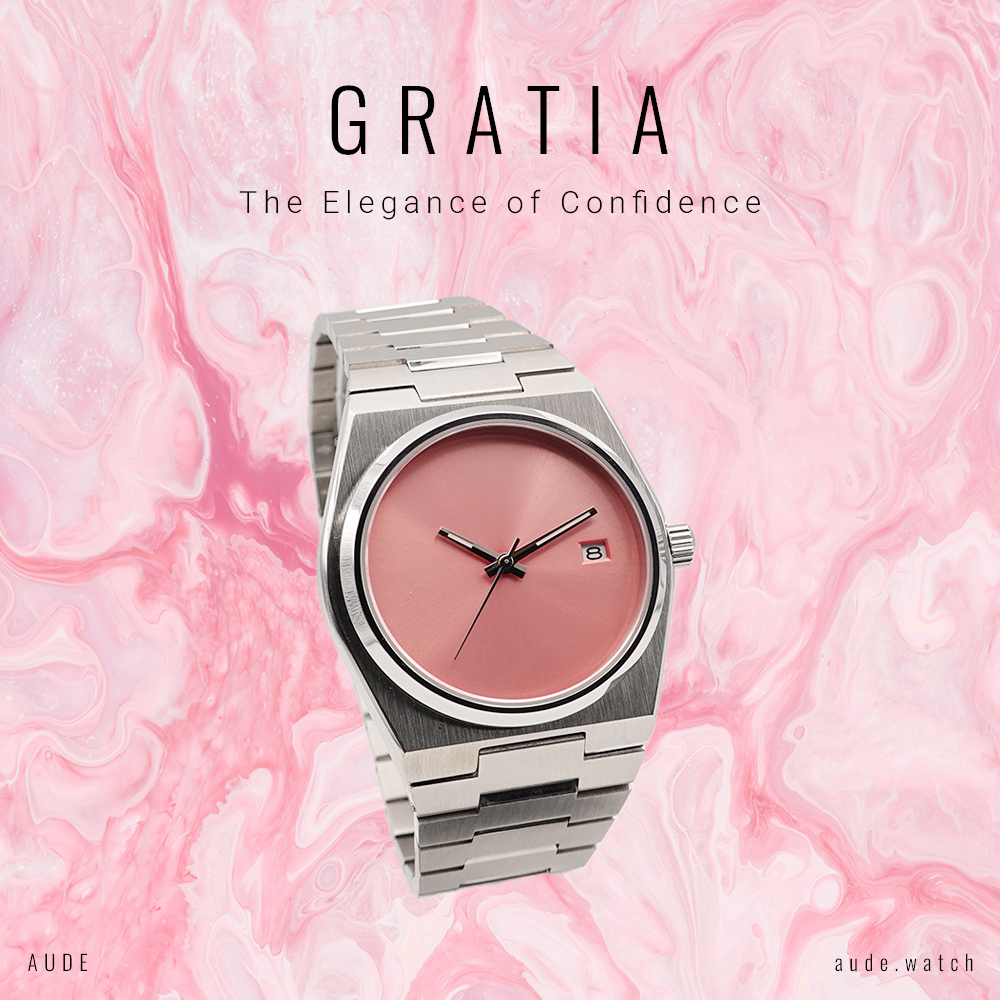
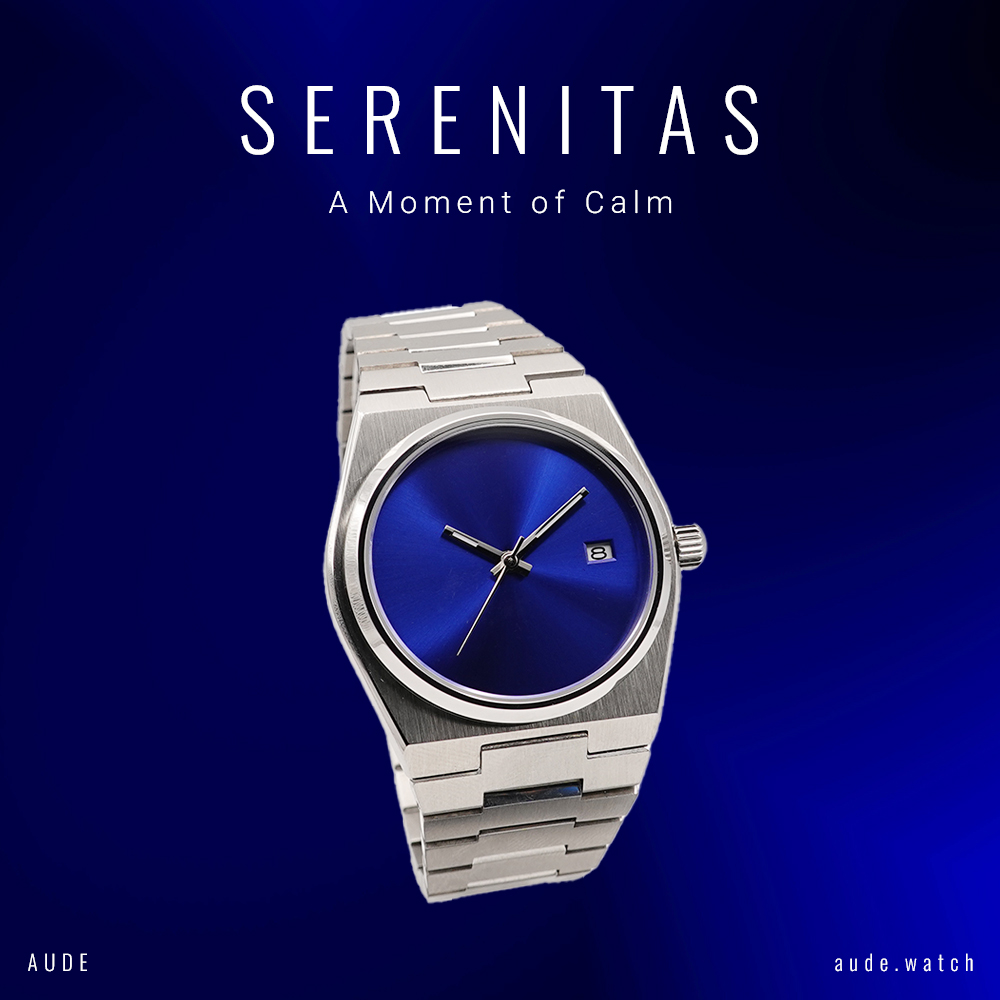
Beyond the website, I also handle product photography, assembly, and laser engraving, bridging the gap between a physical craft brand and a production-ready digital platform.
Goals
The goal was to build a complete e-commerce platform without relying on Shopify or third-party tools, keeping costs as low as possible while turning a personal hobby into a sustainable side business.
Core objectives
Sell products online through a fully custom-built platform
Design a smooth flow from product discovery to Stripe checkout
Support both guest and registered customer purchases
Create a dedicated Client Area and Admin Area
Add and manage collections and products without touching the database
Manage inventory, order states, sales, and returns
Build an internal dashboard to track performance and insights
Problem
The biggest challenge was my lack of back-end experience.
At the beginning, building a full e-commerce platform alone felt close to impossible and well outside my comfort zone.
Starting constraints
No formal back-end experience
No existing CMS or e-commerce platform (fully custom build)
Real-world requirements: payments, data integrity, inventory, returns
Solo delivery across product strategy, front-end, and back-end
Full architectural ownership outside my core front-end and design background
Opportunity
Instead of seeing this as a blocker, I turned it into a challenge. I decided to take advantage of AI, using it intentionally as a co-worker to support learning and help bridge that gap.
This made it possible to build a fully working e-commerce platform, transforming what started as a hobby into a real online business.
Solution & Approach
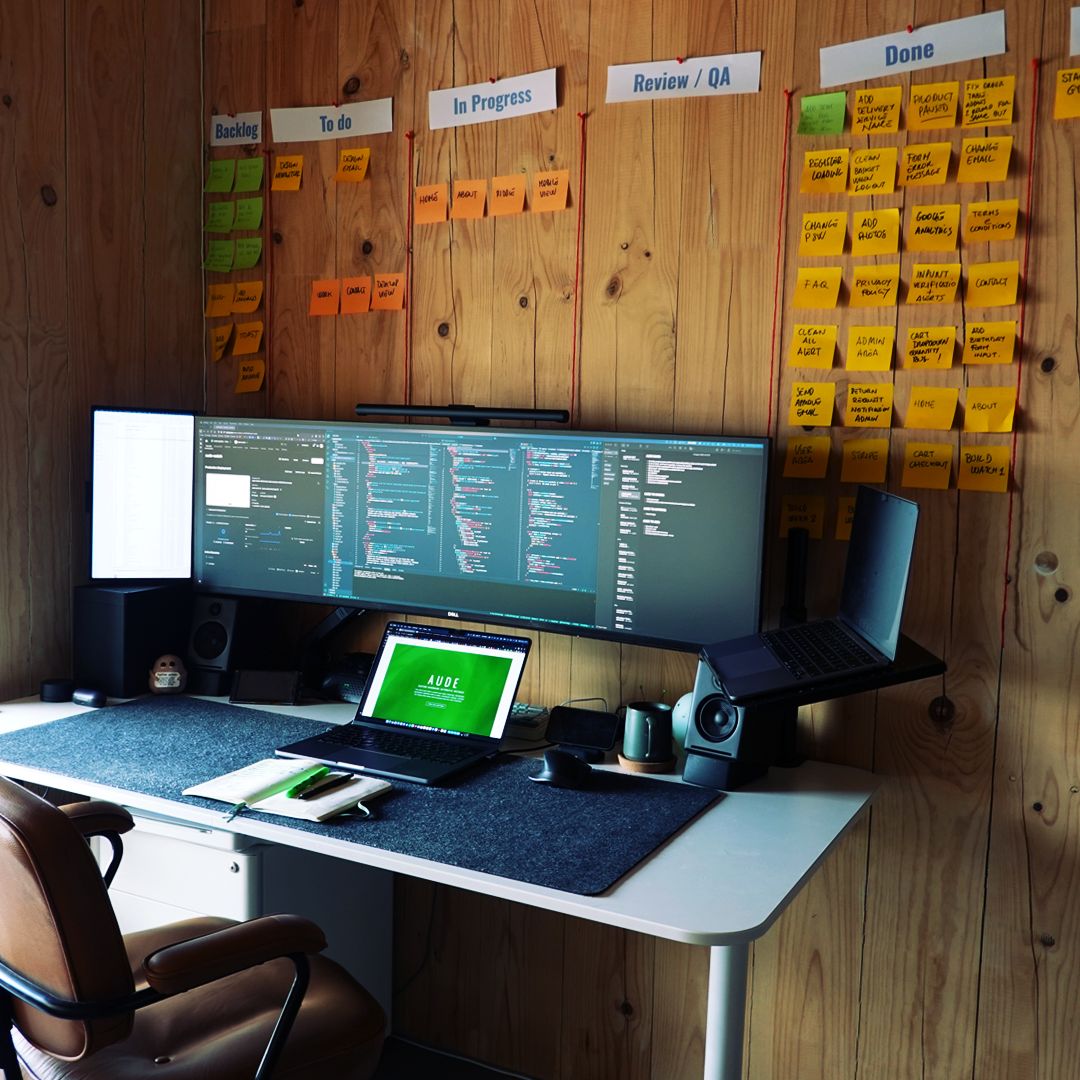
I approached AUDE by defining a clear MVP and structured plan before writing any code, then working through a repeatable rhythm: Research → Wireframes → Build → QA → Feedback.
Throughout the process, priorities were continuously reassessed based on effort, risk, and product impact.
MVP & Prioritisation
Defined what had to ship first versus what could follow, shaping a clear MVP and keeping scope under control.
Research & Framing
Combined UX research, personas, competitor analysis, and end-to-end journey mapping to validate the direction early.
Iteration & Problem Solving
Worked around milestones with an iterative, sprint-based rhythm, turning roadblocks into product and system decisions.
Validation & Quality
Ran continuous self-reviews and QA, supported by early real-user feedback sessions as the product got closer to launch.
Task
Importance
Effort
Status
Admin area
Very High
Done
Admin dashboard
Very High
Done
CMS - Add product
Very High
Done
Manage orders
Very High
Done
Firebase database
Very High
Done
Responsive layout
High
Done
Product page
Very High
Done
Build first 6 watches
Very High
Done
Stripe integration
Very High
Done
Manage stock
Very High
Done
Product Design
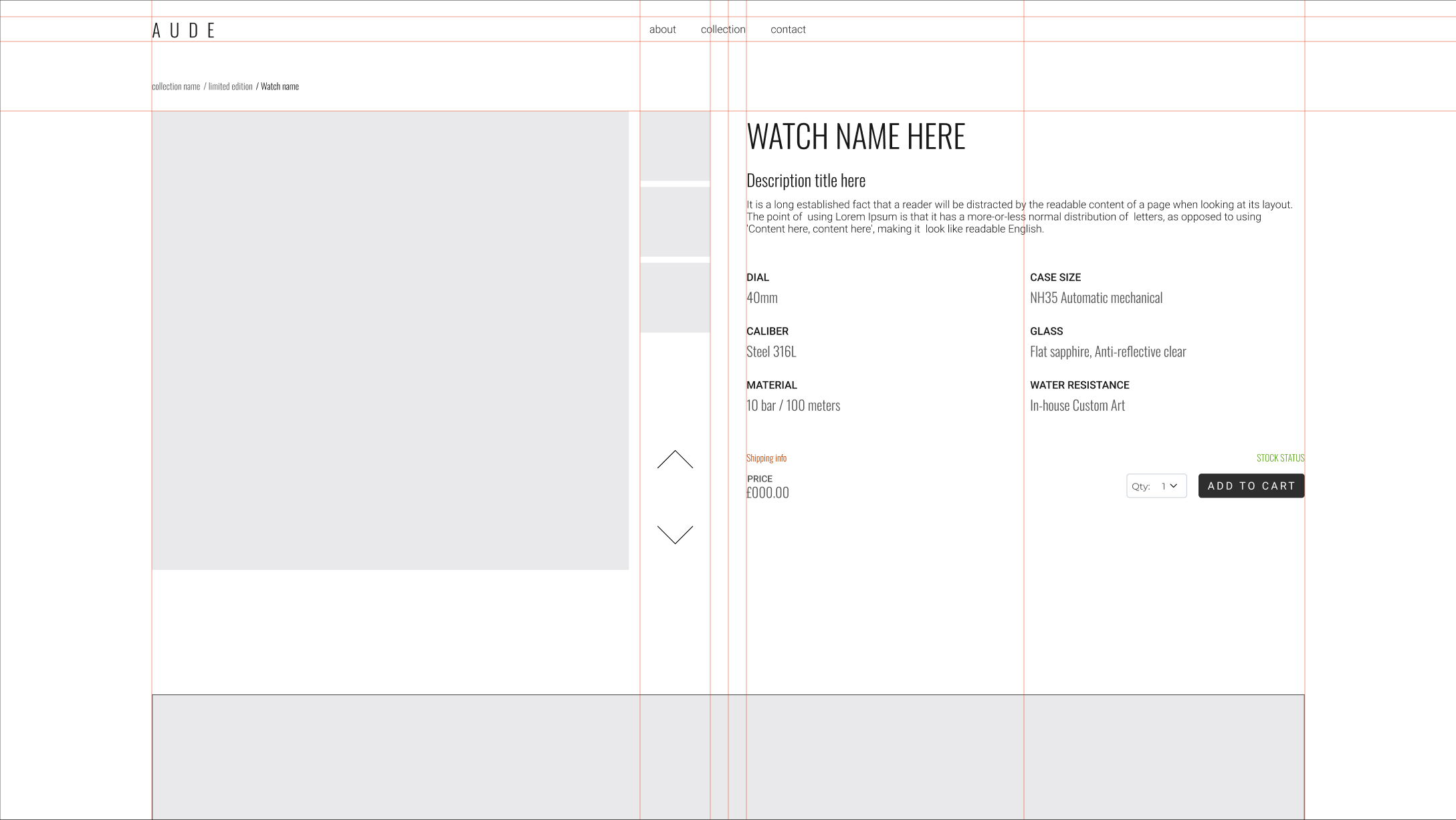
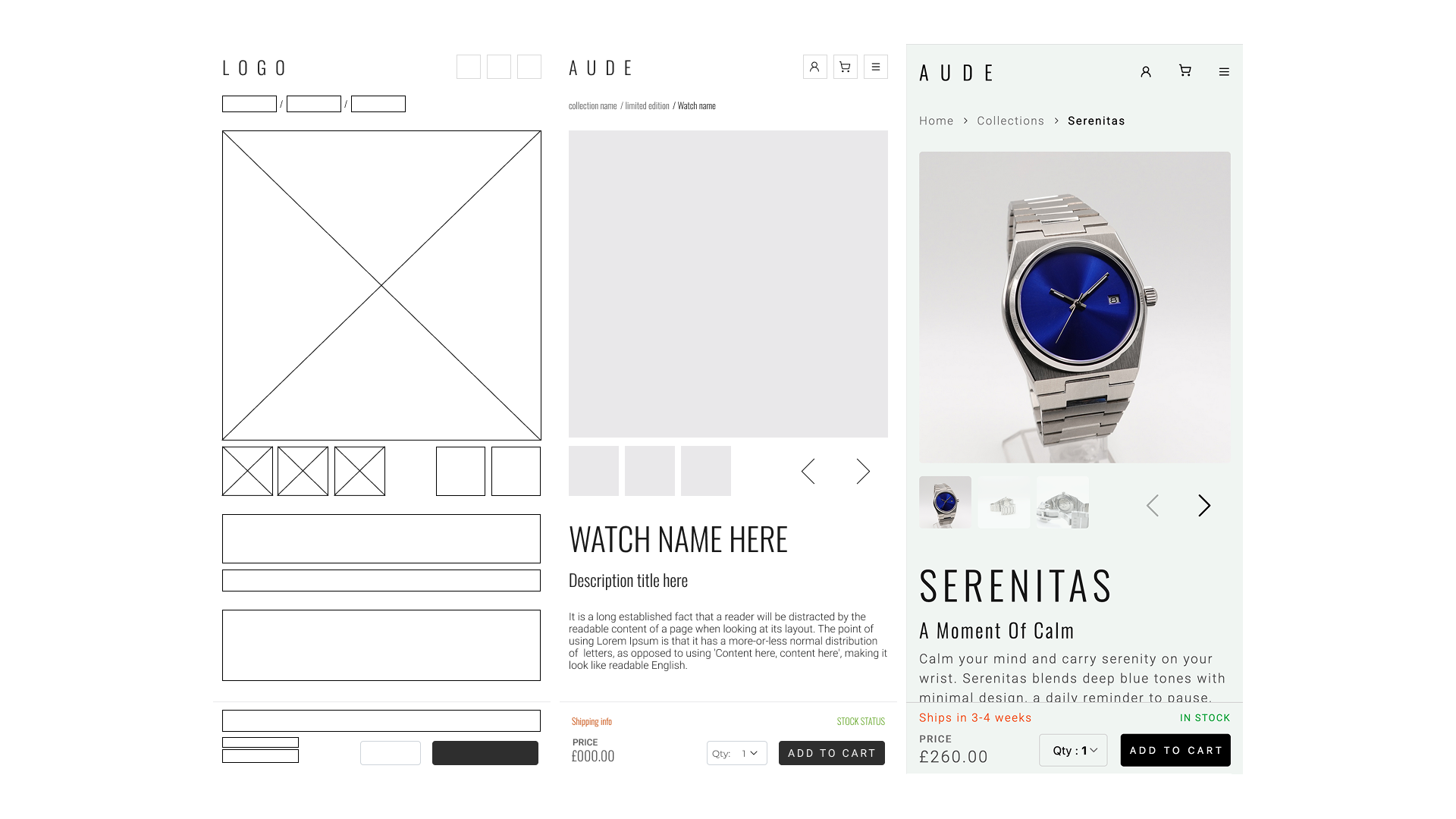
Product design started with competitor and social analysis, followed by lightweight personas and rapid wireframing to shape structure and priorities.
A key insight from research was that micro-brand buyers often worry about trust and transparency (materials, assembly, and what they are really getting). This pushed me to design a calm, clear experience with stronger product details, storytelling, and confidence around checkout.
The guiding principle was simple: reduce noise, increase clarity, and make purchasing feel effortless.
Research
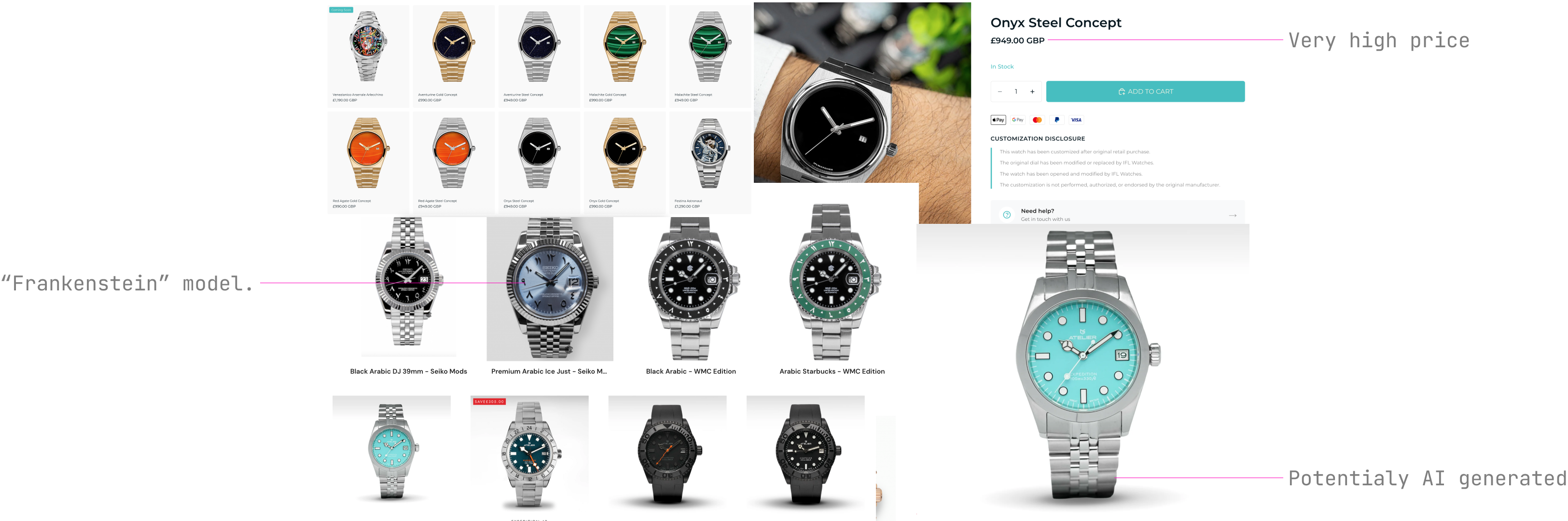
I analyzed competitor websites to understand pricing, positioning, and how independent watch brands present value.
I noticed recurring patterns of very high prices, "Frankenstein" models mixing aesthetics from existing brands, and in some cases potentially AI-generated imagery. A second pattern was a lack of transparency around materials, assembly, and real product photos.
This helped clarify both the positioning gap and the UX direction: a calmer experience with clearer specs, honest photography, and stronger trust signals.
Personas & Target
I defined lightweight personas to represent the core audience: people who value design-led products, transparency, and a calm, frictionless checkout.
They kept the work grounded in real intent: quick scanning and comparison for some users, design-first exploration for others, and stronger trust signals for supporters who care about independent brands.
These personas guided tone of voice, information hierarchy, and feature prioritization across the store and account areas.
The minimalist
Strong preference for clean, minimal aesthetics
Values product details, materials, and balance
Looks for calm, distraction-free products
The style-man
Chooses products primarily for visual impact
Less brand-driven, more niche products
Looking for custom products
The supporter
Actively supports small and independent brands
Values transparency, story, and authenticity
More likely to return and build long-term trust
Journeys & Flows
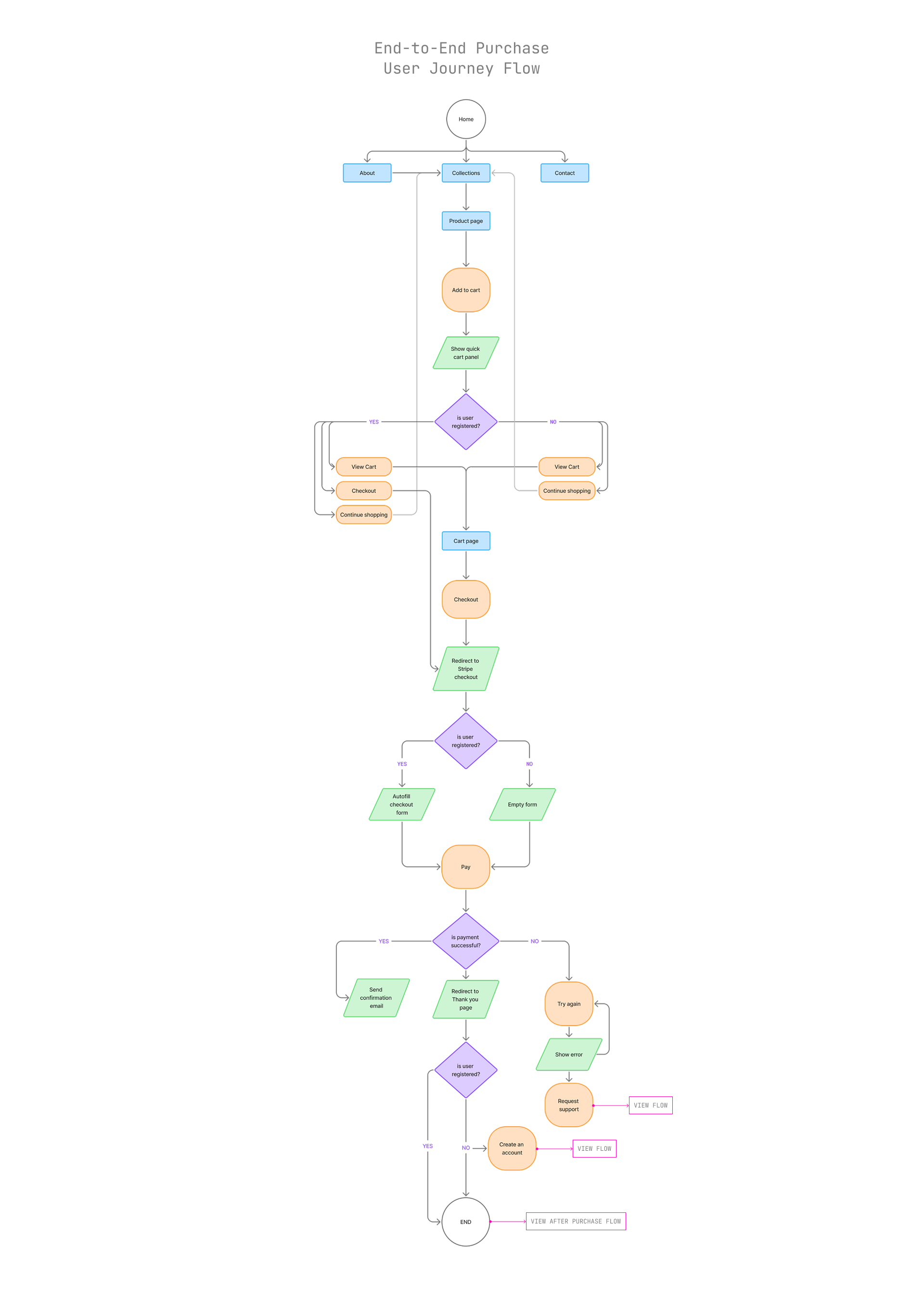
I mapped the end-to-end journey from first brand touchpoint to purchase, fulfilment, and returns.
Designing key user and system flows upfront helped surface edge cases and technical needs before committing to UI and code.
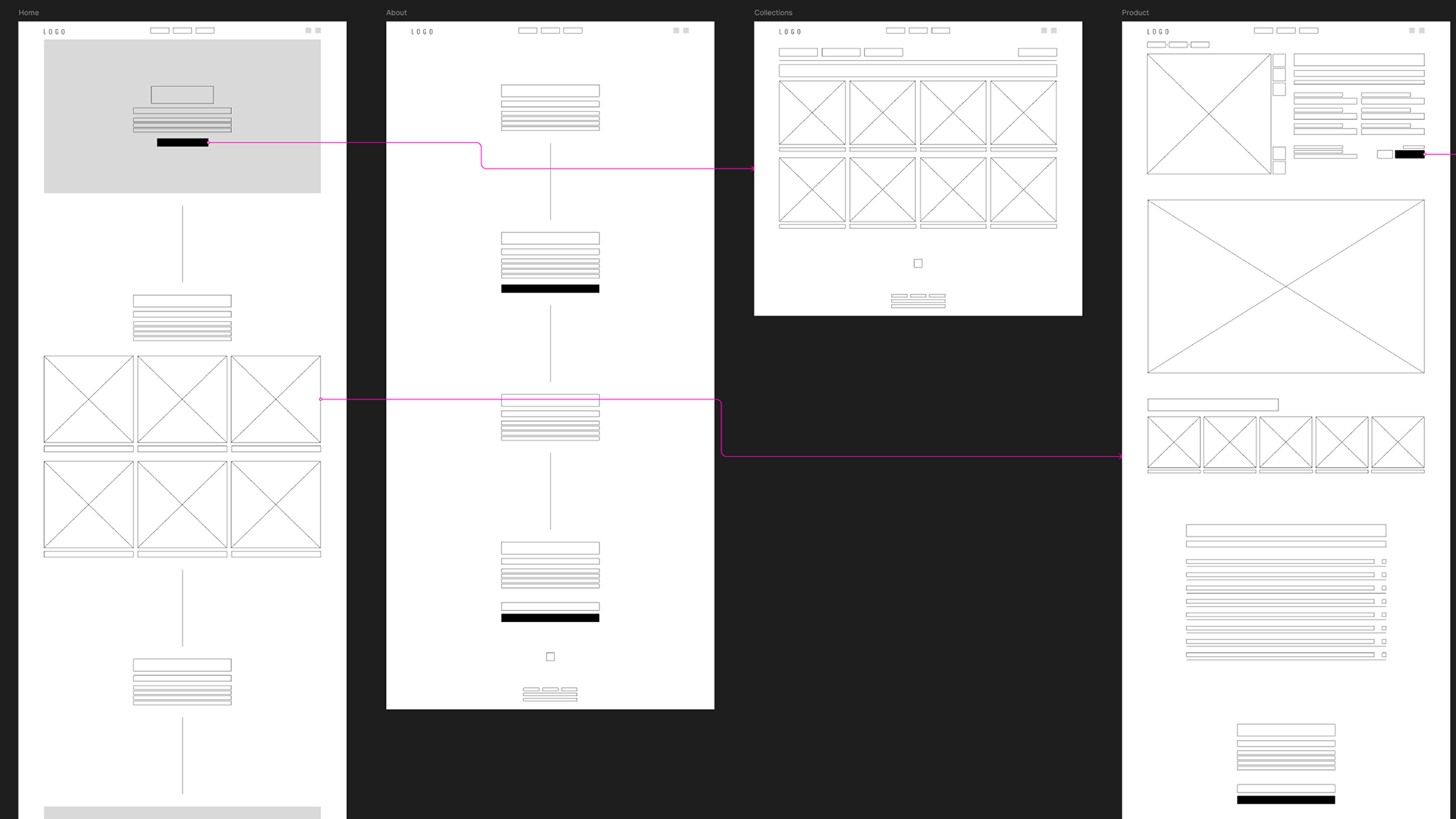
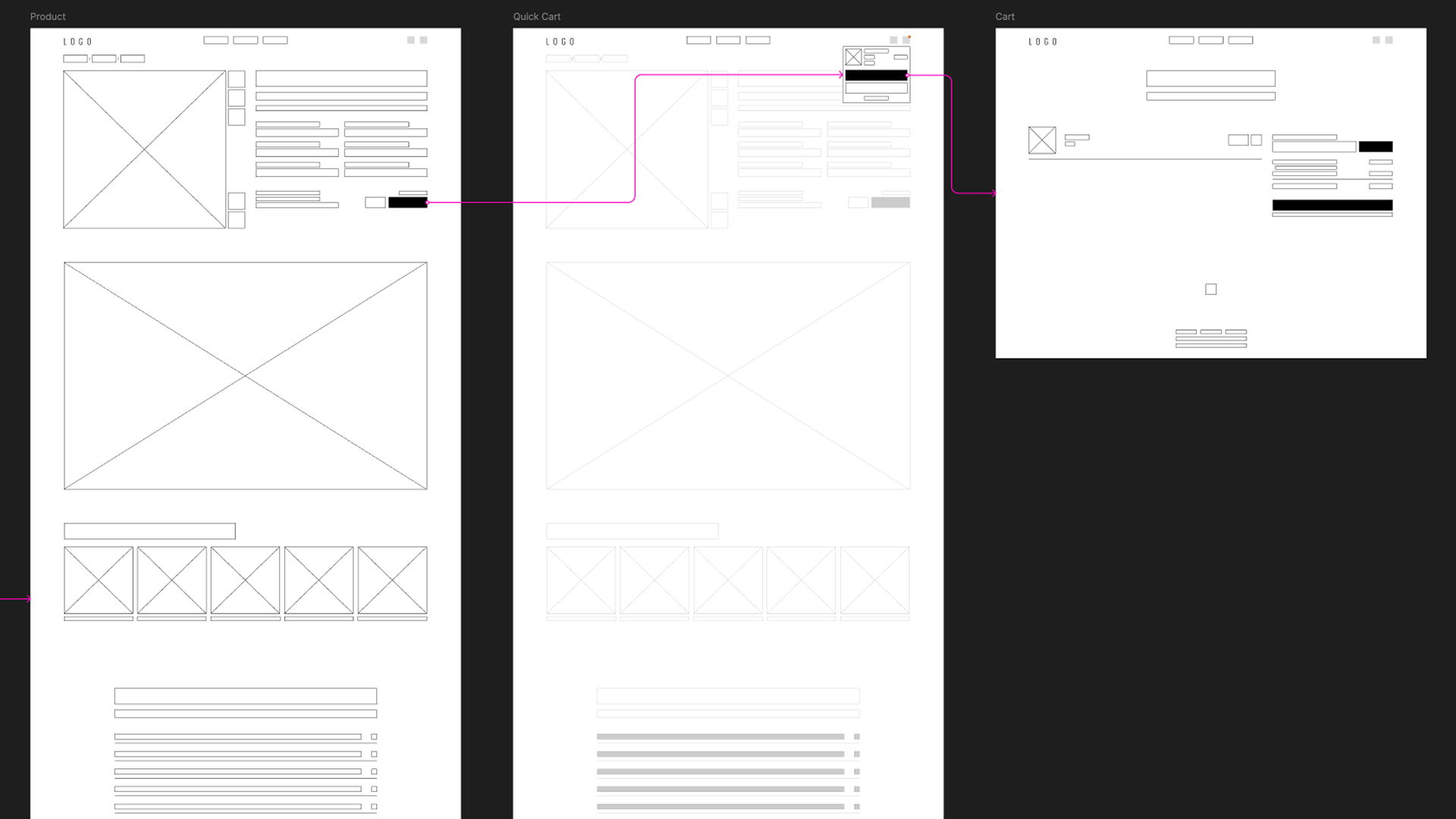
Wireframes & Structure
Wireframes were used to define layout logic, hierarchy, and reusable component structure across the platform.
This allowed quick iteration on key screens and made the transition into Vue components smoother and more predictable.
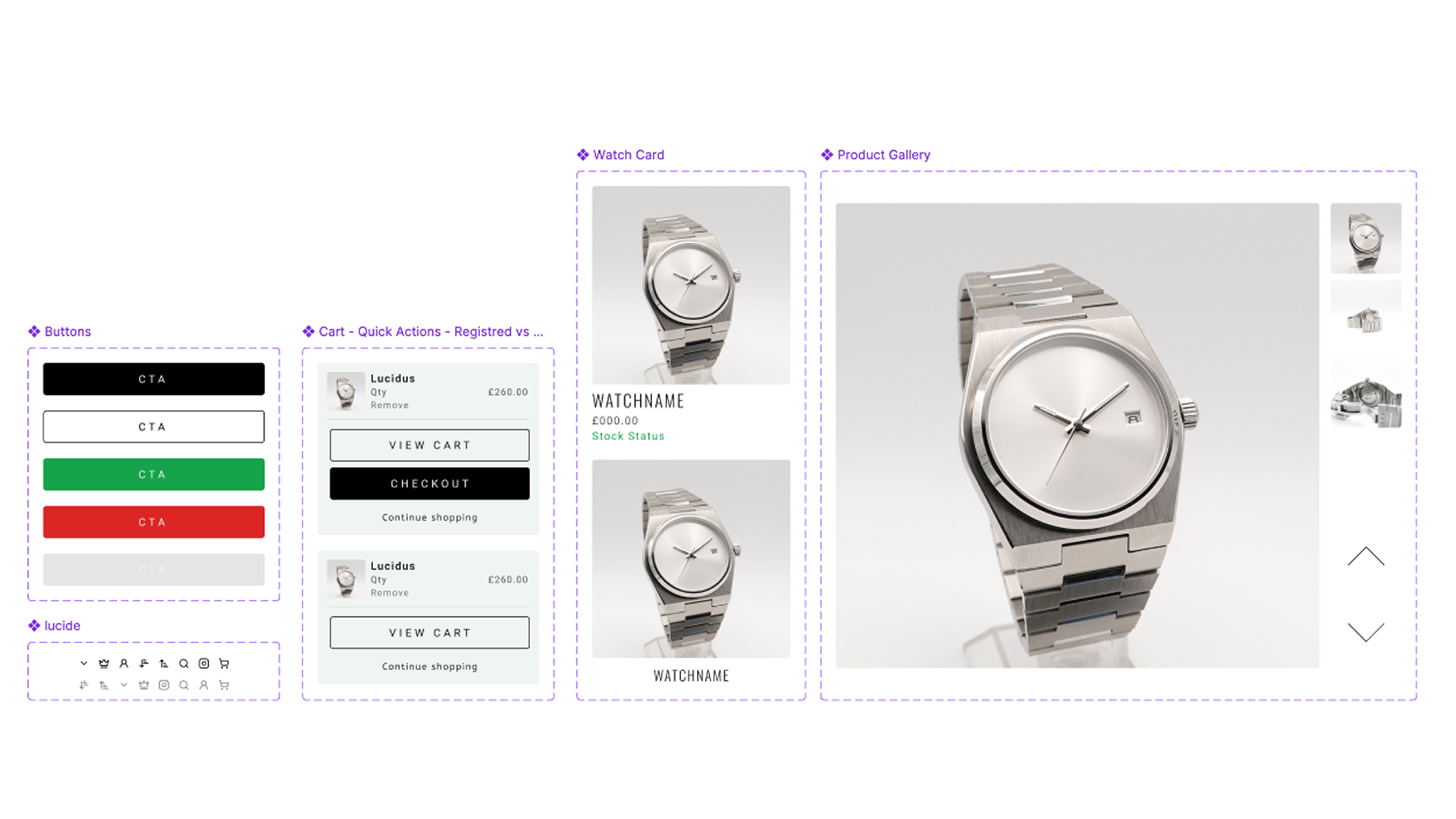
Design System
The visual system was designed to match the product: minimal, precise, and intentional.
Typography, spacing, and UI patterns were kept consistent across marketing pages, storefront, and admin to create a coherent, production-ready experience.
Design Decisions
Throughout the project, I consciously switched between two working modes that are part of my usual approach:
GSD
Get Sh*t Done
It is about speed and pragmatism: building what is needed to make the system work, shipping an MVP, solving problems quickly, and improving through iteration.
DGS
Do Gorgeous Stuff
It is about care and quality: attention to detail, visual balance, spacing, and pixel-perfect design decisions that shape how the product looks and feels.
On AUDE, this translated into a clear split:
Admin side - GSD / Client side - DGS
Admin CMS
To run AUDE as a real business, I designed and built a custom admin CMS to manage products, content, and operations without touching the database directly.
The CMS supports structured product data, draft and publish states, image uploads with SEO-friendly alt text, and all the fields required to handle stock, sales, and fulfilment.
Product and content management through a custom-built CMS
Draft → publish workflow to safely control what goes live
Order, pre-order, shipped and refund operations in a unified system
SEO-ready product media and structured metadata management
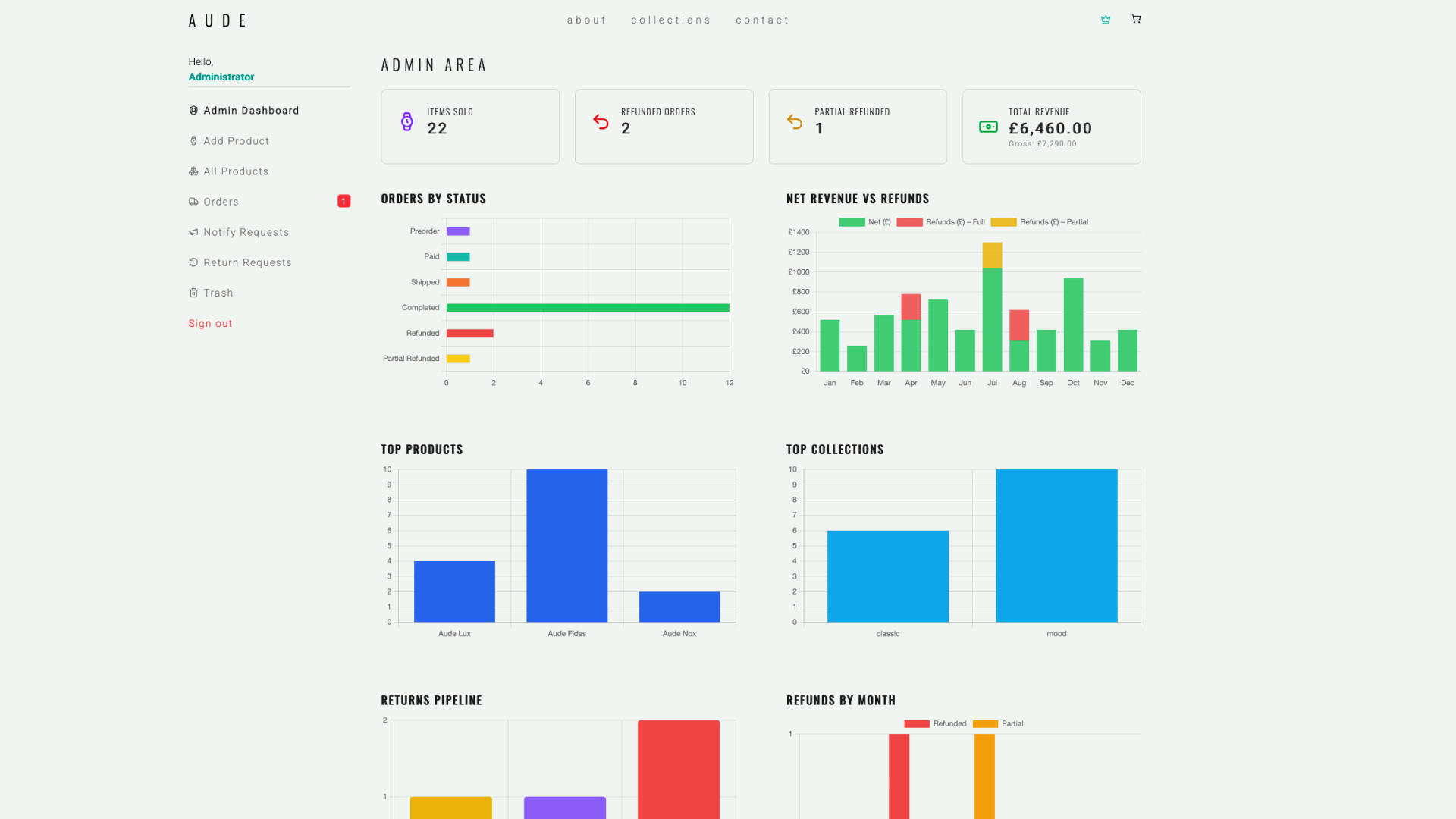
Business dashboard
To make informed decisions, I built a simple but effective business dashboard focused on real data.
It provides a clear overview of sales performance, revenue, refunds, and product trends, helping me understand what is working and where to iterate.
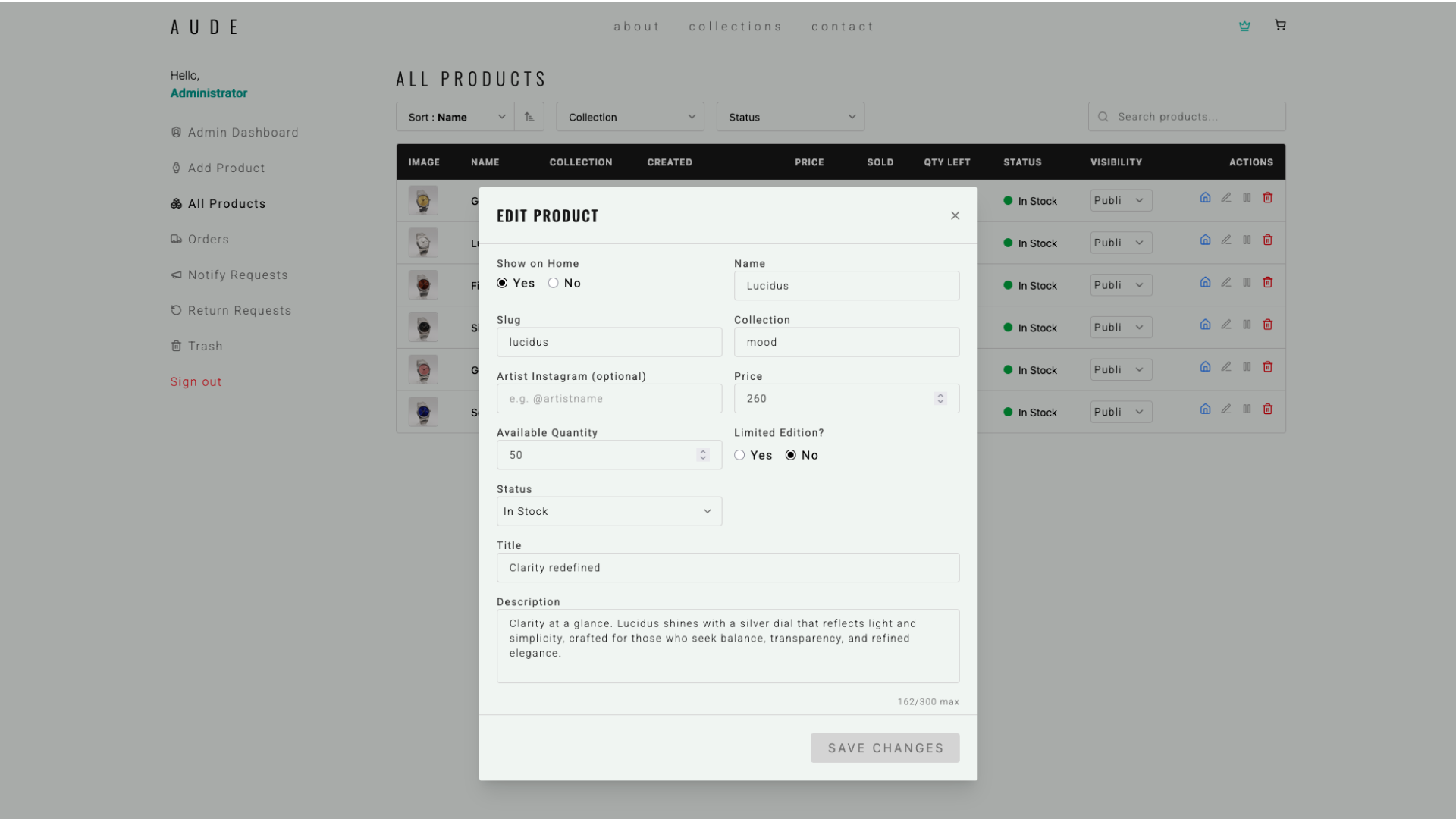
Product creation flow
Creating products quickly and safely was a core requirement.
I designed a dedicated interface to add products, manage specifications, and control visibility, removing the need to manually edit Firebase and reducing the risk of errors.
Key capabilities
Fast product creation with automatic slug generation
Automatic alt text generation for uploaded images
Support for collaborations and artist credits
Structured fields for description, stock, status, collections, and materials
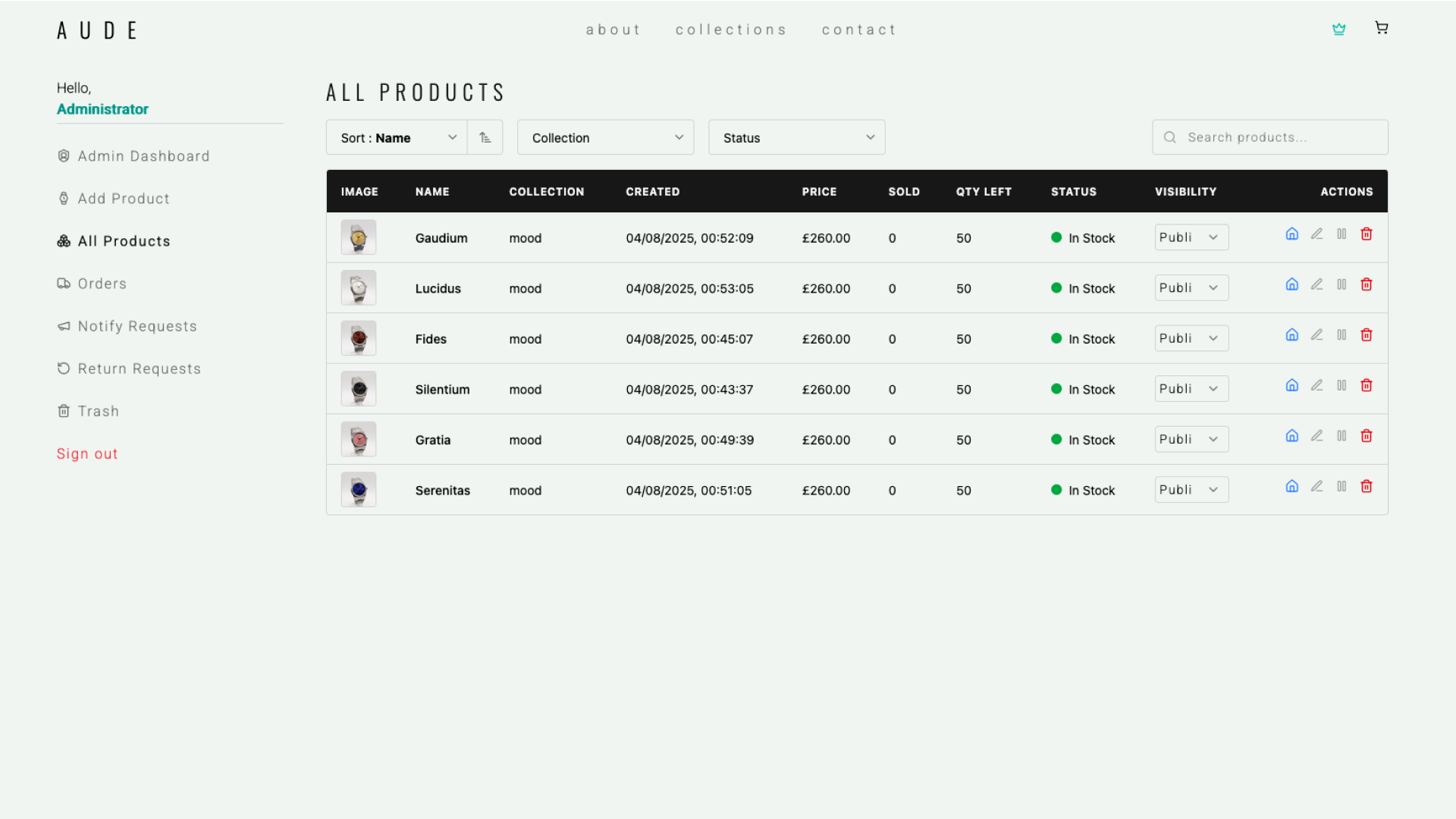
Manage Products
This view provides a clear overview of the full catalog: status, stock, and performance at a glance.
From here I can quickly switch products between Draft and Public, control homepage visibility, edit details, pause items, or remove them when needed.
Orders management system
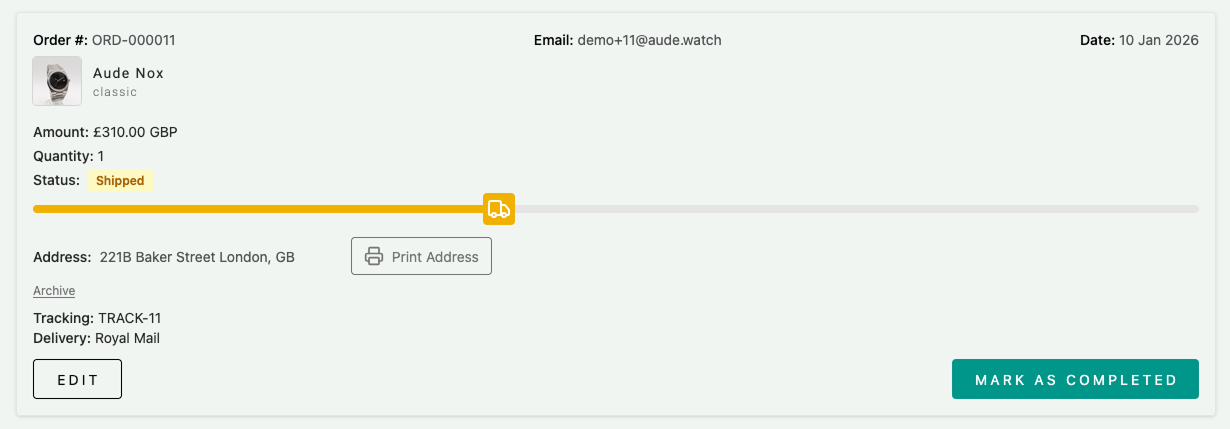
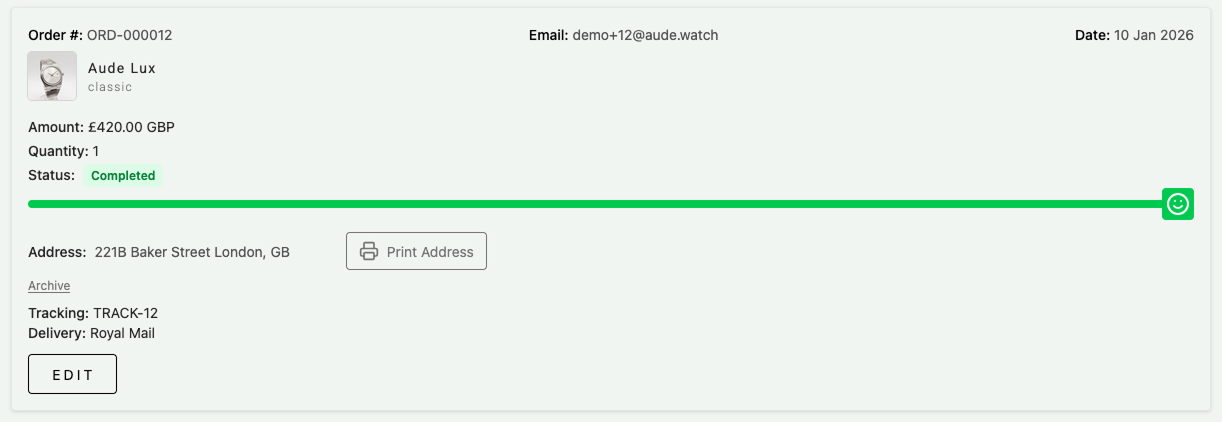
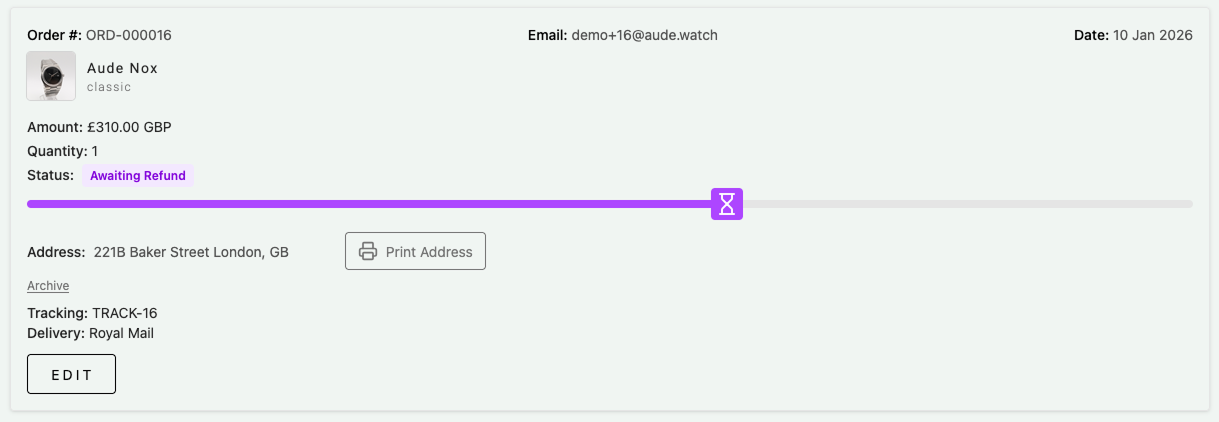
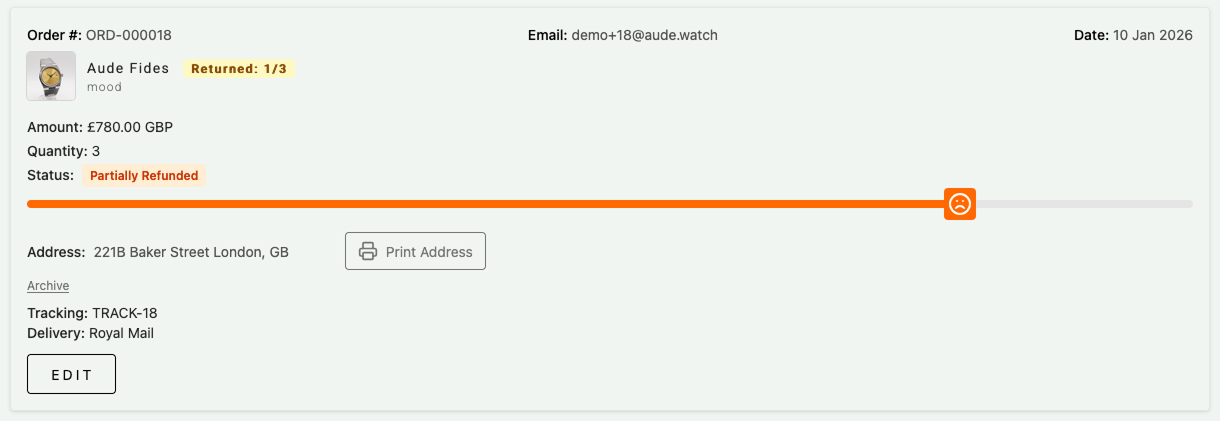
Order management was designed with clarity and speed in mind.
Functionality was prioritized over visuals, but always with a strong UI focus to make order states, progress, and actions instantly readable.
Clear order status tracking across the full lifecycle
Revenue trends to support planning and optimization
Top products and collections to identify what performs best
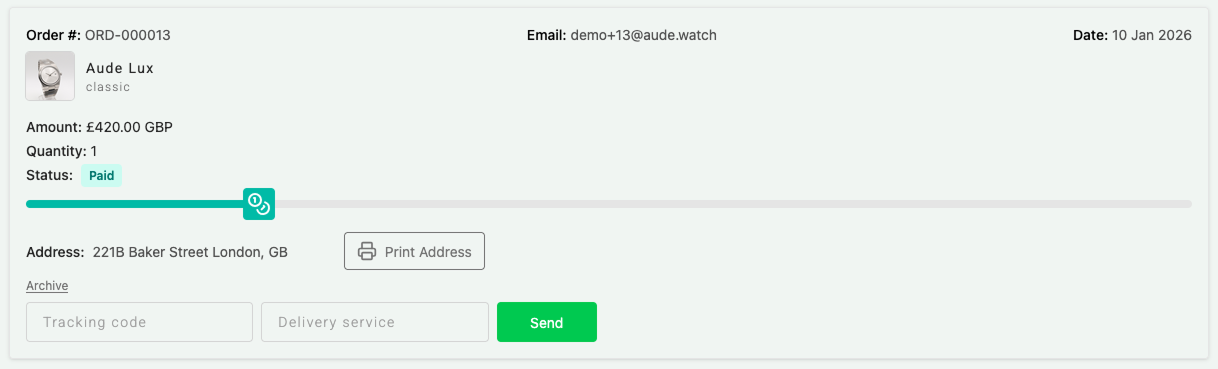
Order paid
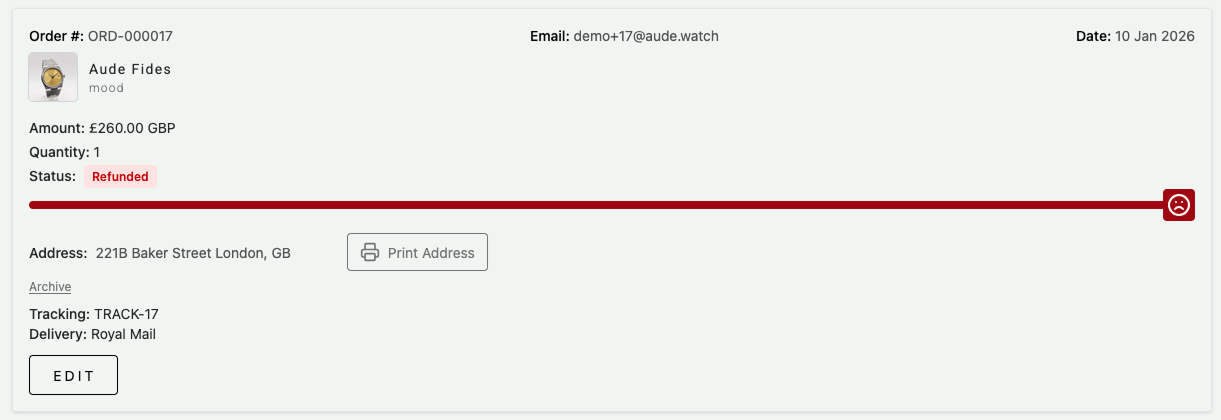
When an order is placed, the admin receives a notification and can immediately access key information such as customer details, order type, and shipping address. Tracking codes and courier details can be added to trigger customer emails.
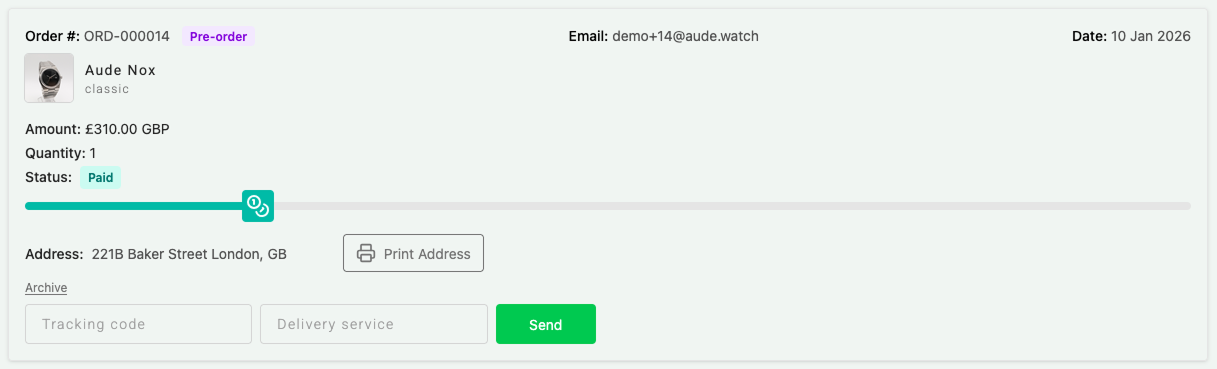
Pre-order
Pre-orders follow the same structure as standard orders, with a clear badge to quickly identify them in the system.
Order shipped
Once shipped, the order status updates in real time and starts the 14-day return window for the customer.
Order completed
Orders can be manually completed after shipping, or automatically marked as completed if no refund is requested within 14 days.
Refund requested
When a customer submits a refund request, the order status updates and notifies the admin, allowing quick review and action.
Partial refund
The system supports partial refunds, handling cases where only some products from an order are returned.
Order refunded
Once a refund is processed via Stripe, the order is automatically updated and tracked in the system.
Refunds workflow
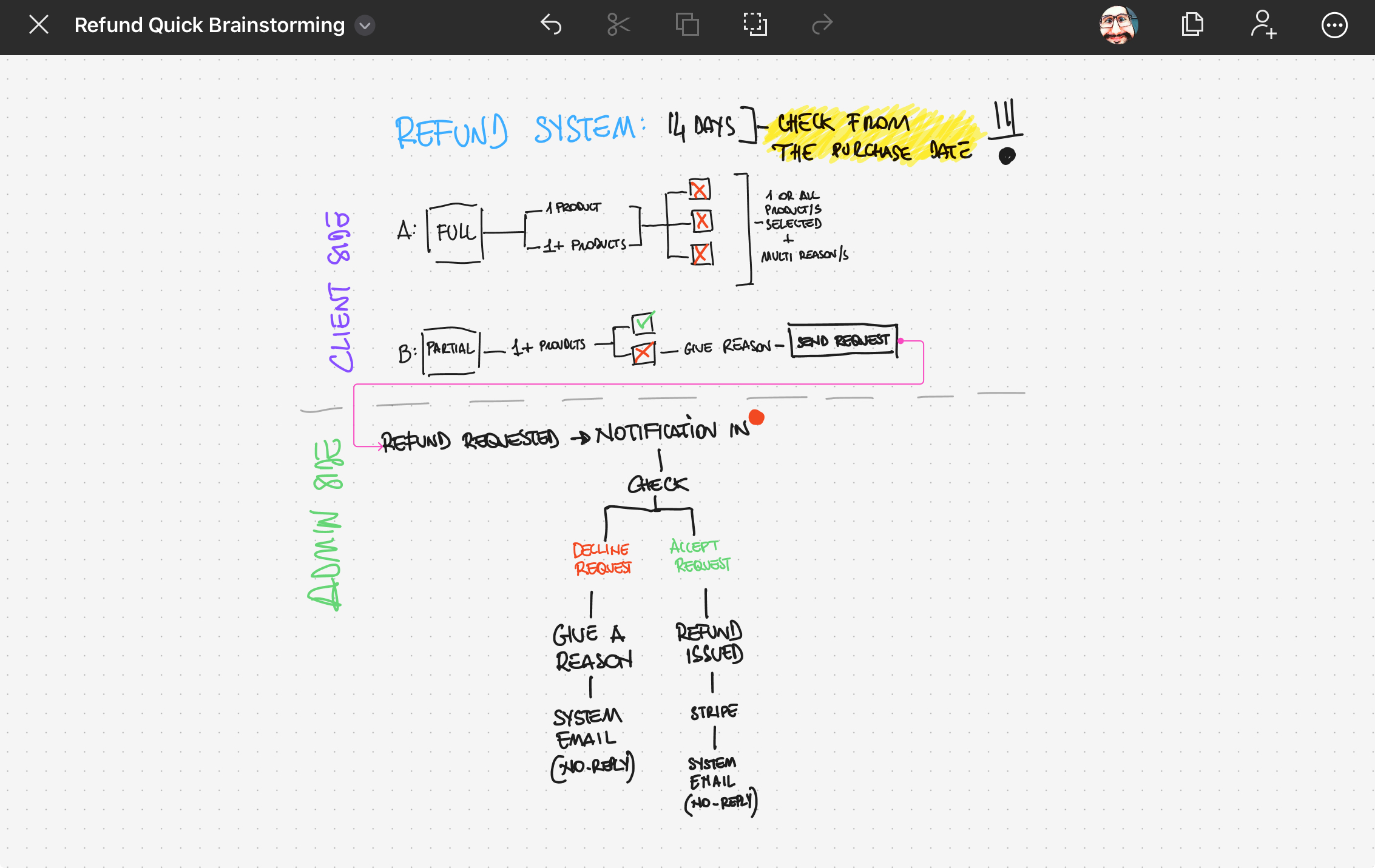
Refunds were one of the most complex systems to design and implement.
I built a full refund and partial refund flow aligned across UI, Firebase, and Stripe, focusing on clarity for users and control for the admin.
Workflow scope
Refund requests available only to registered and verified users
14-day return window enforced at system level
Support for full and partial refunds
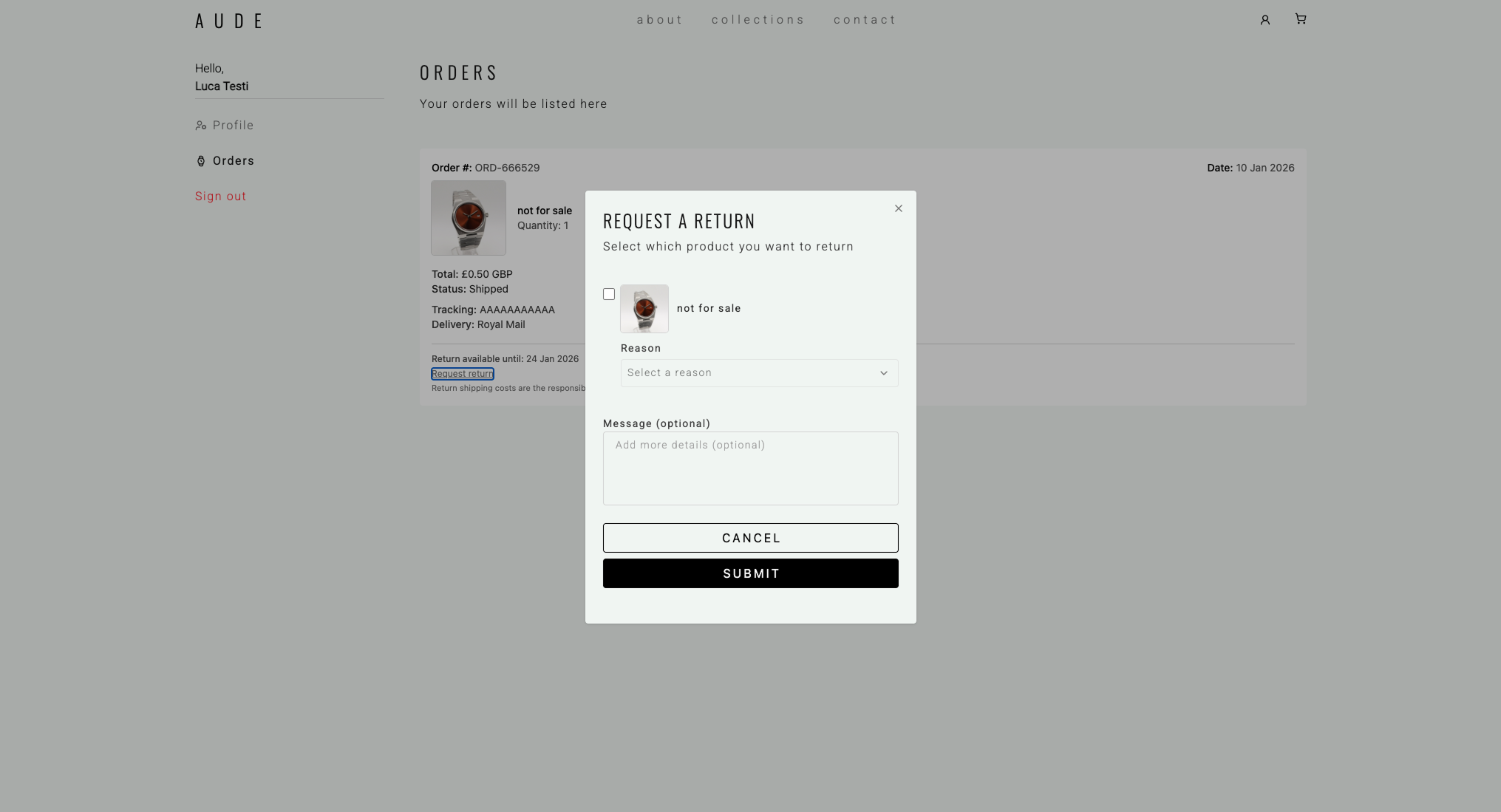
Mandatory reason selection with optional explanation
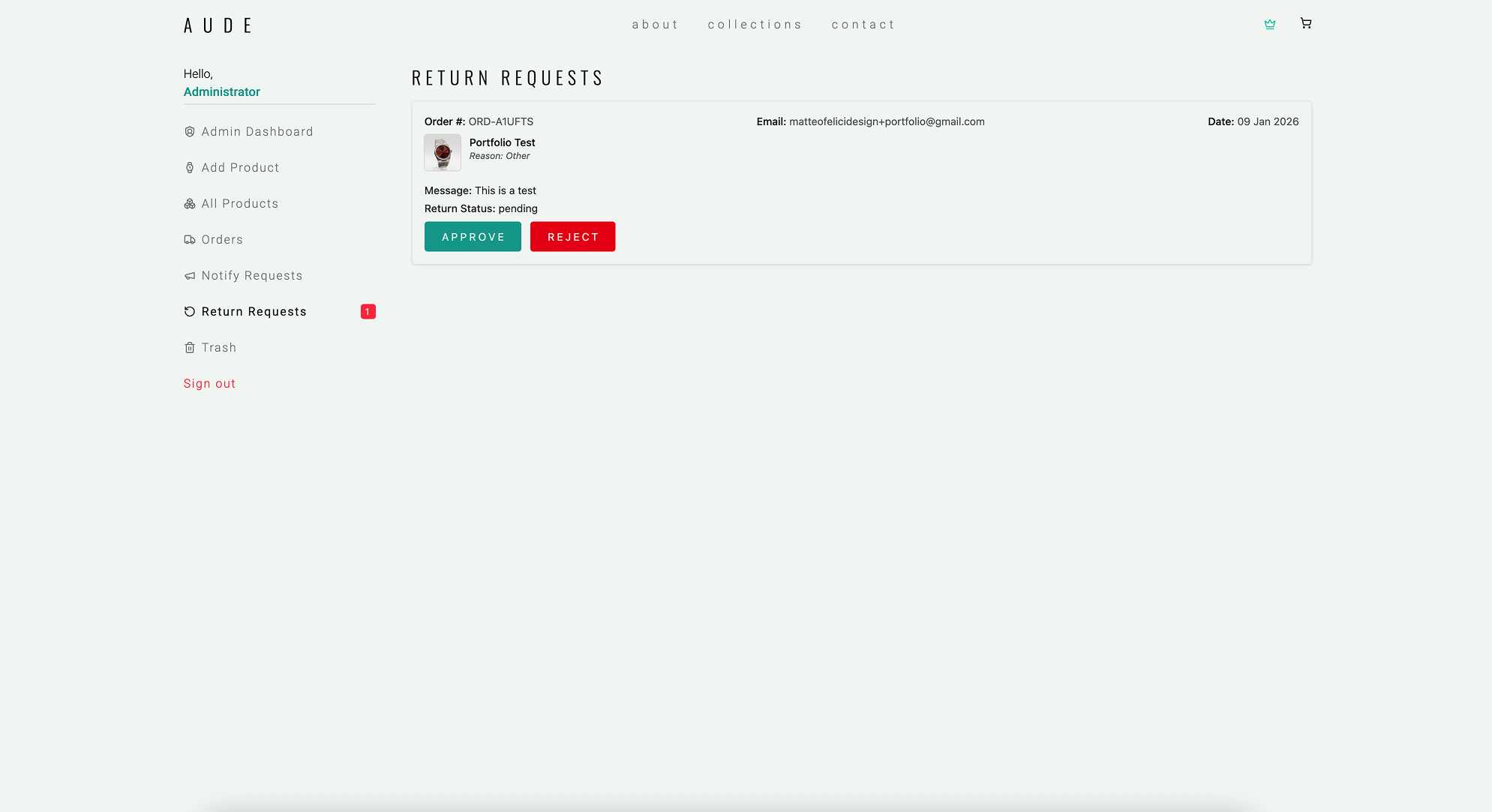
Admin approval or rejection with automated email feedback
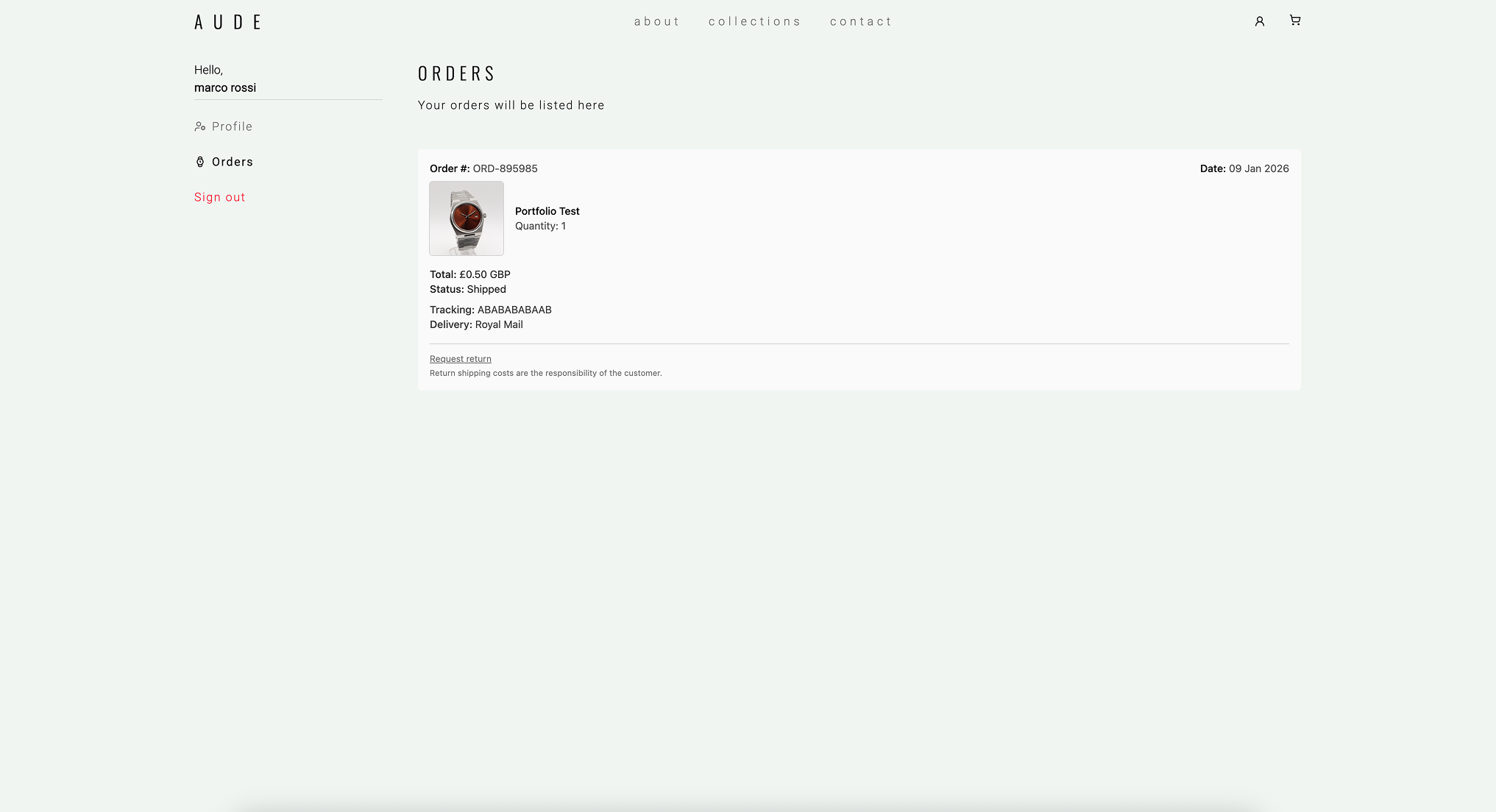
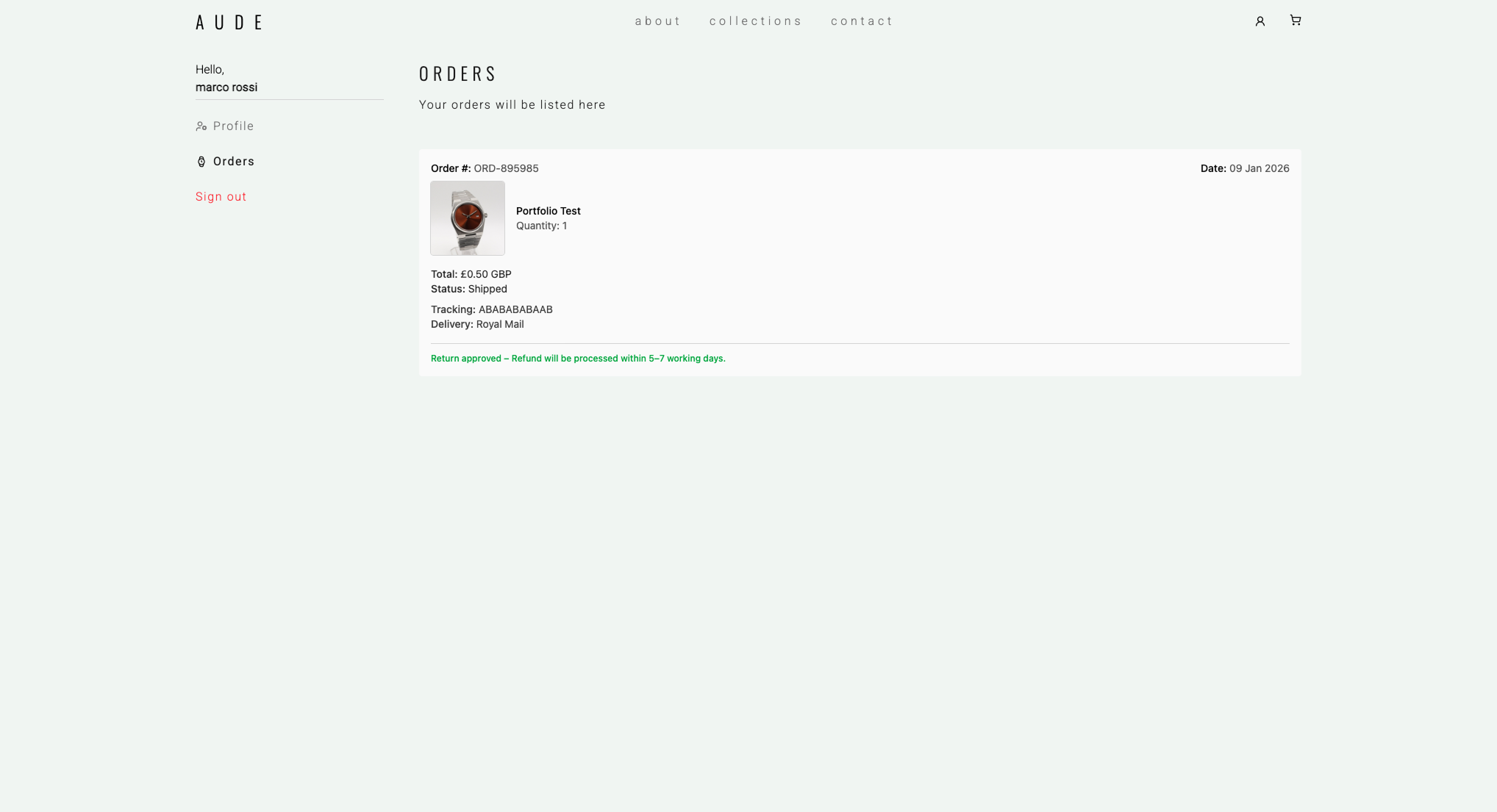
User order area
Registered users can manage their orders from a dedicated account area.
User refund request
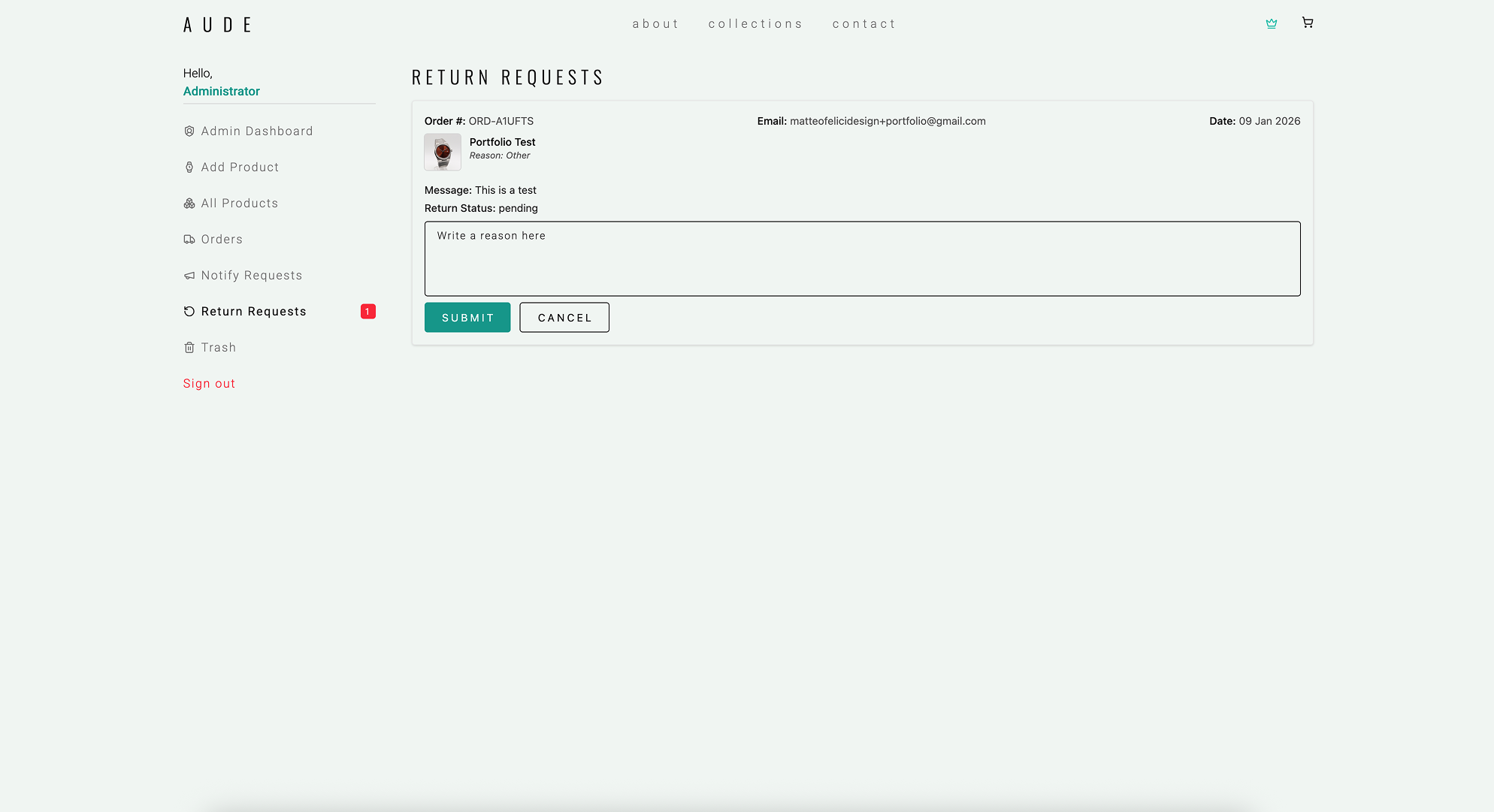
A guided modal allows users to submit refund requests clearly and safely.
Admin notification system
The admin receives notifications for new orders and refund requests to ensure fast response times.
Refund rejected
When rejecting a refund, the admin provides a reason which is automatically sent to the customer by email.
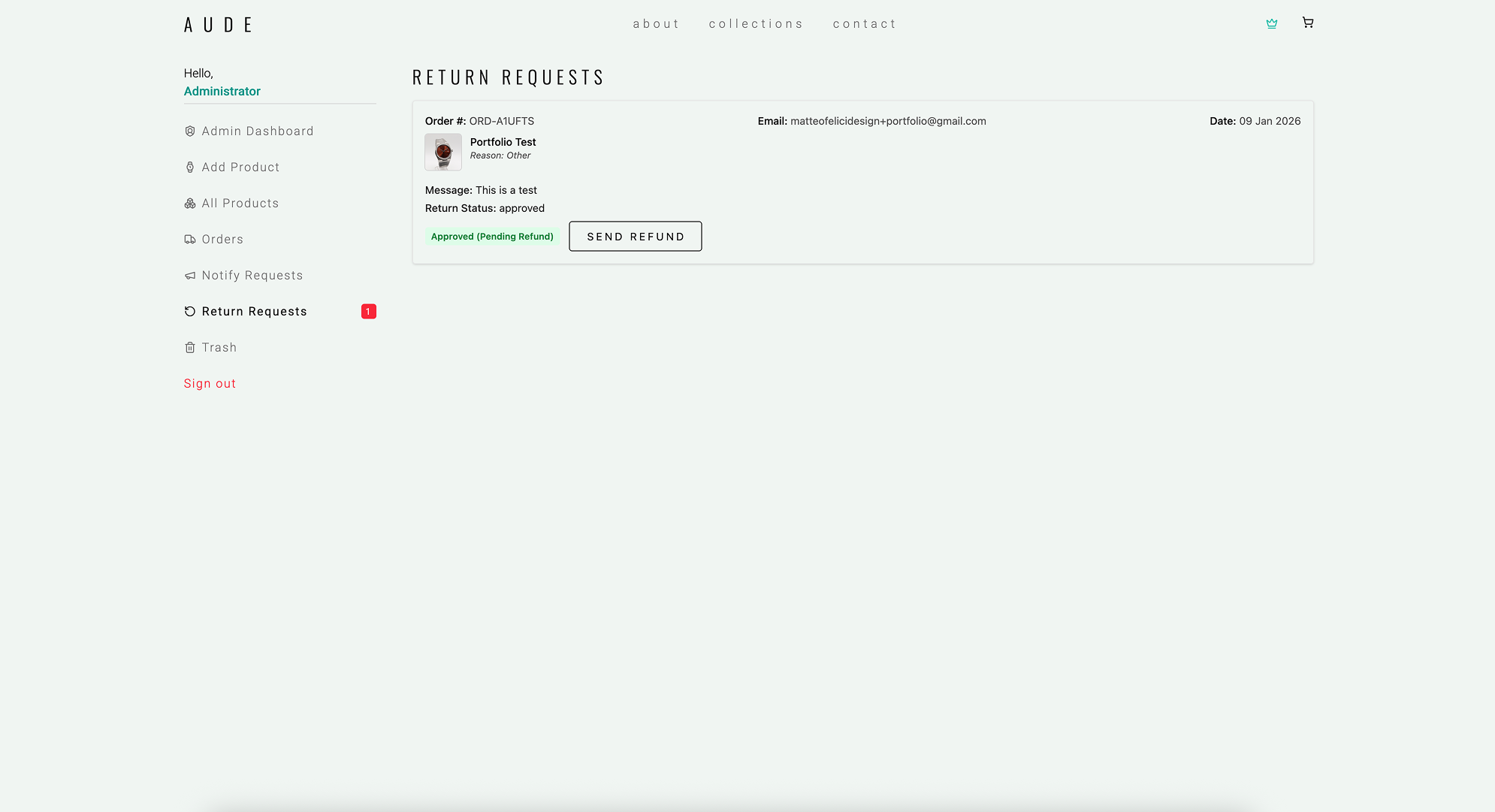
Refund approved
Approved refunds can be processed directly via Stripe, keeping the system fully synchronised.
User refund status
Users can always track the status of their refund: pending, approved, or rejected.
Engineering
I engineered AUDE as a full-stack e-commerce platform that connects a custom UI to real operational workflows.
Alongside the storefront and client area, I built a dedicated admin platform to manage products, inventory, orders, and day-to-day operations without manually editing the database.
Front-End Architecture
I built the front-end in Nuxt 3, turning wireframes and prototypes into a production UI.
I structured the UI around reusable components and a clear feature-based layout across the storefront, client area, and admin area. I used Tailwind CSS and semantic HTML to implement consistent, responsive layouts with solid cross-browser behavior.
For shared state and data models, I introduced Pinia and TypeScript with AI-assisted support.
Although I am not a back-end developer by background, years of working closely with engineers taught me how to reason about systems, data flows, and product logic.
What has always fascinated me is how things should work: how data moves, how edge cases are handled, and how real-world operations translate into digital systems.
For AUDE, I used AI (ChatGPT) as a pair-programmer to support back-end development. I defined requirements, flows, and constraints, and validated every critical feature through hands-on QA and real user scenarios.
On the payments side, Stripe Checkout is connected to a webhook-driven order system built on Firebase Cloud Functions, keeping payment state and order status in sync.
Core systems implemented
Stripe Checkout + Stripe API webhooks (Firebase Cloud Functions) for order processing
Secure order creation and status lifecycle management
Transactional emails (order confirmation, shipping, refunds) via Resend
Inventory and pre-order logic with stock validation
Firestore data model and access rules for admin and users
Returns and partial refund workflows aligned with Stripe
SEO & Accessibility
I built a search-optimized foundation using semantic markup, structured content, performance-driven decisions, and accessibility best practices.
The goal was to ensure the site is discoverable, fast, and usable across devices and input methods.
SEO foundations
Semantic headings and page structure (H1/H2/H3/...)
Metadata + Open Graph previews
Sitemap + robots.txt
Image optimization and lazy loading
GA4 + Search Console setup for monitoring and iteration
Accessibility
Clear hierarchy and consistent UI patterns
Predictable interactions and focus states
Contrast and readability checks
Product
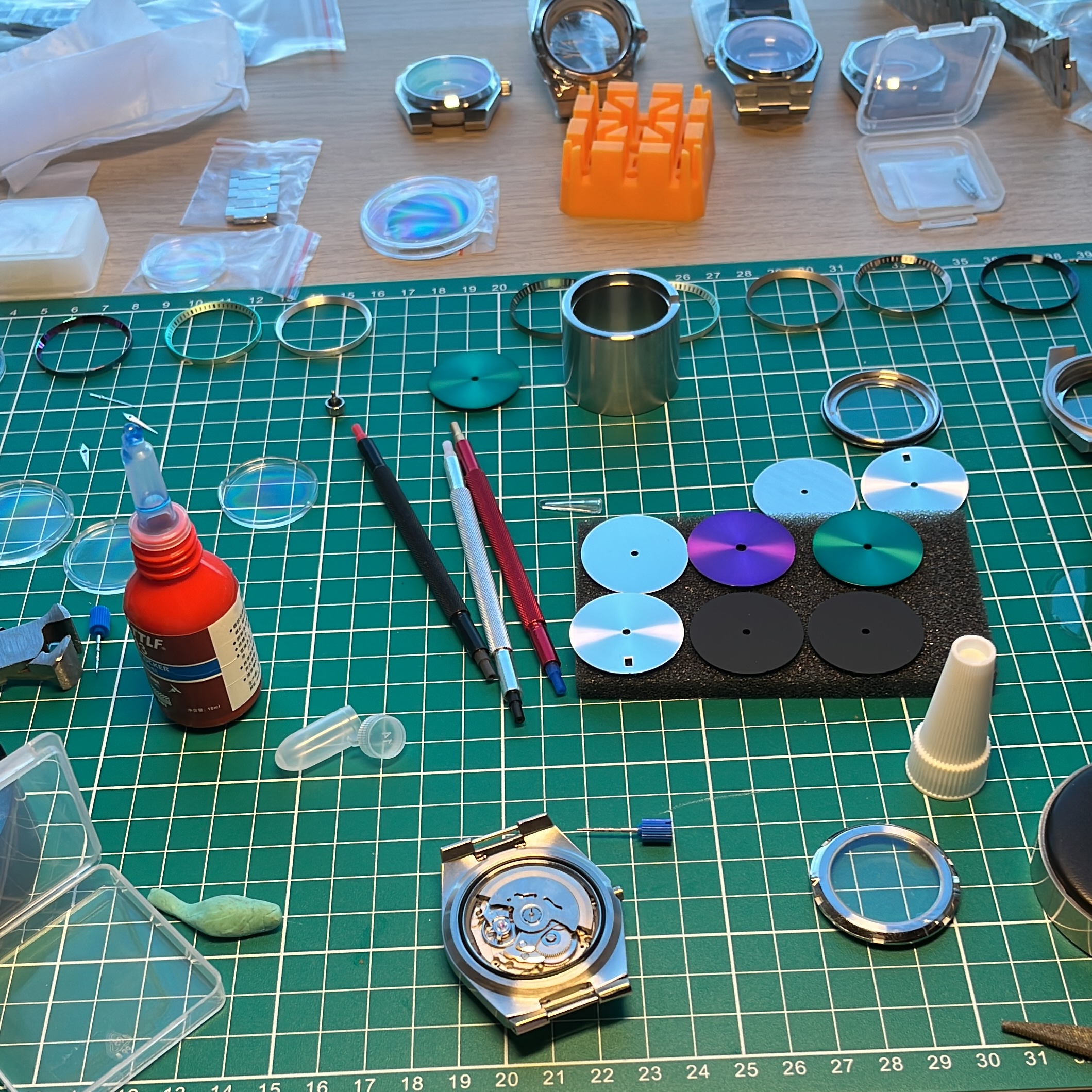
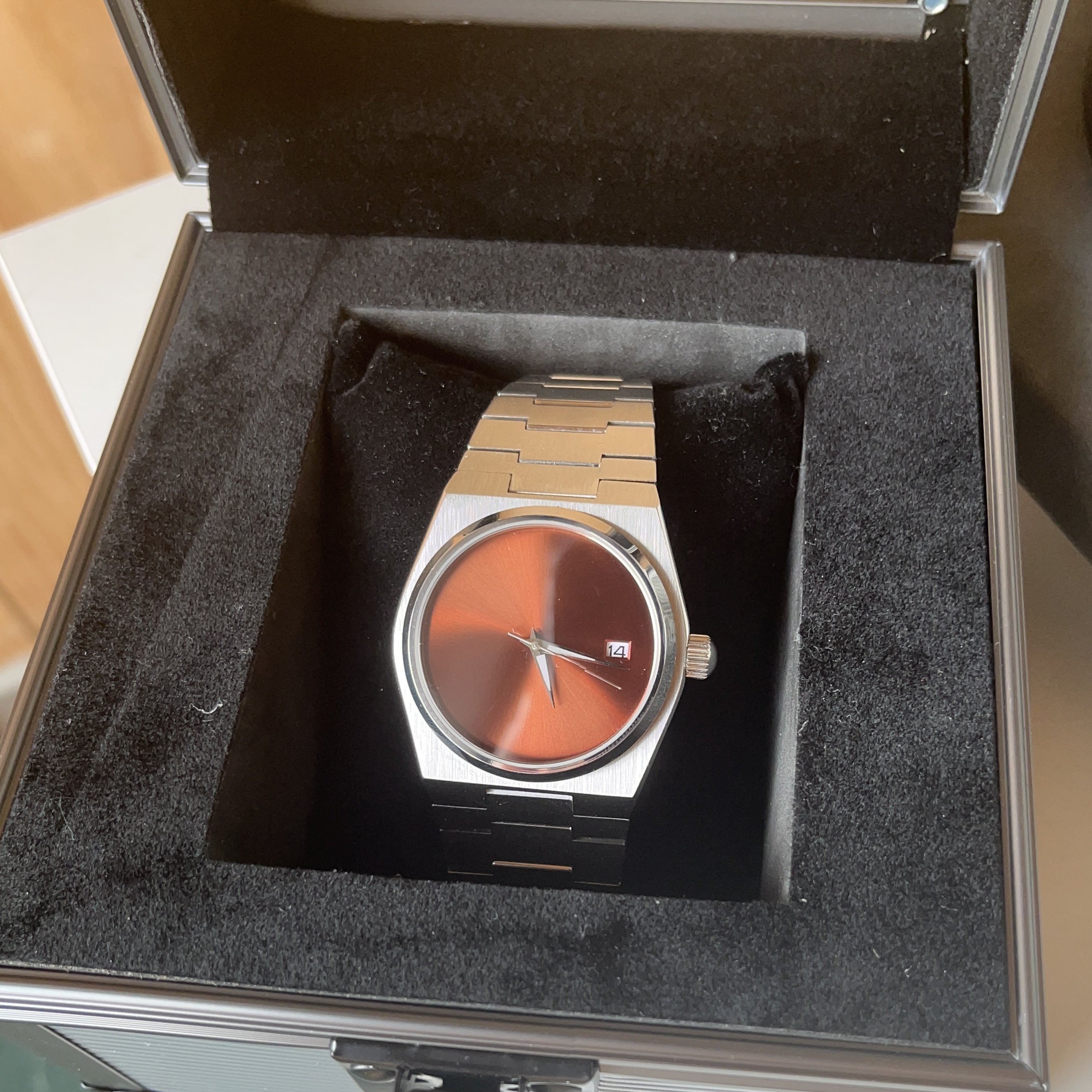
AUDE is not just a website, it is a real physical product.
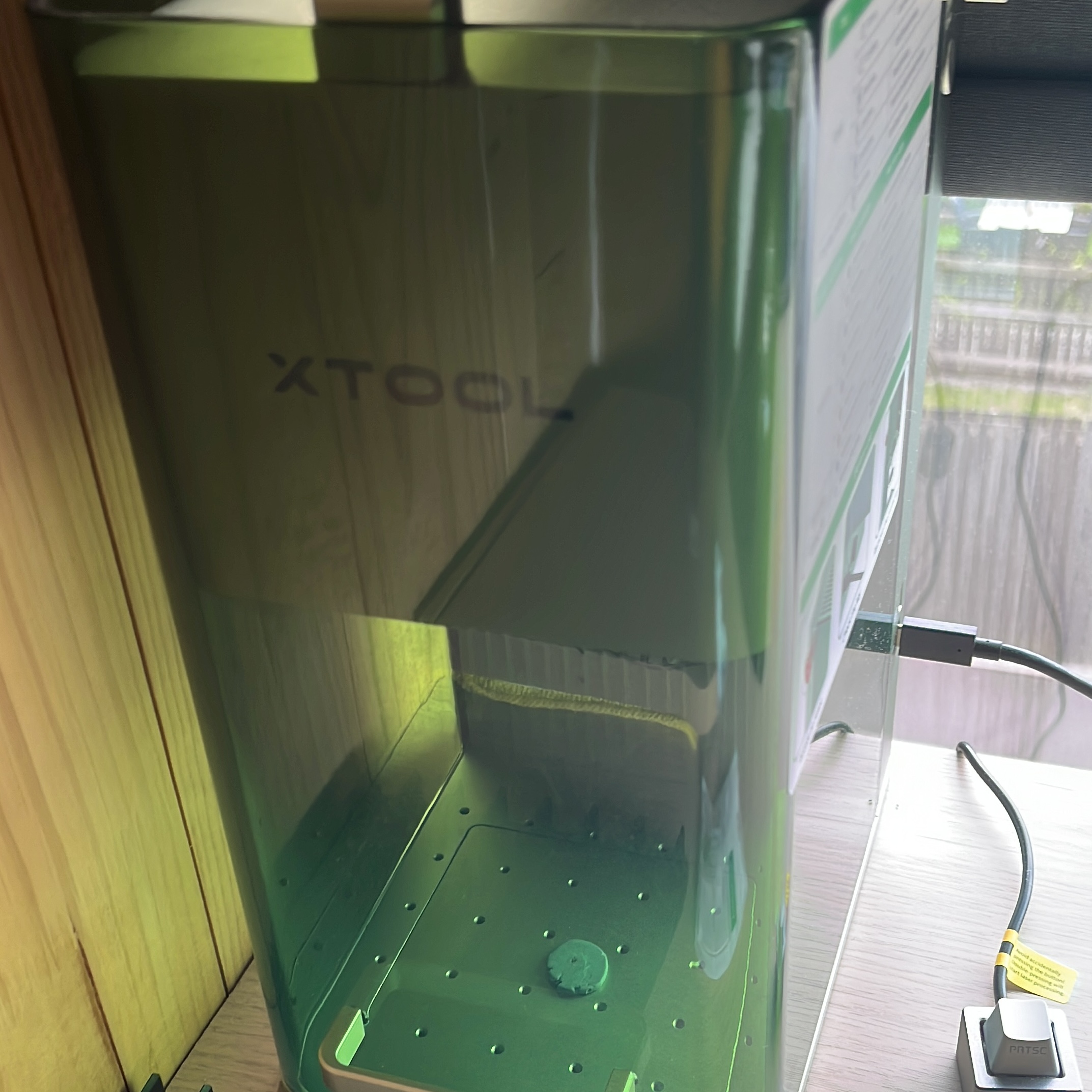
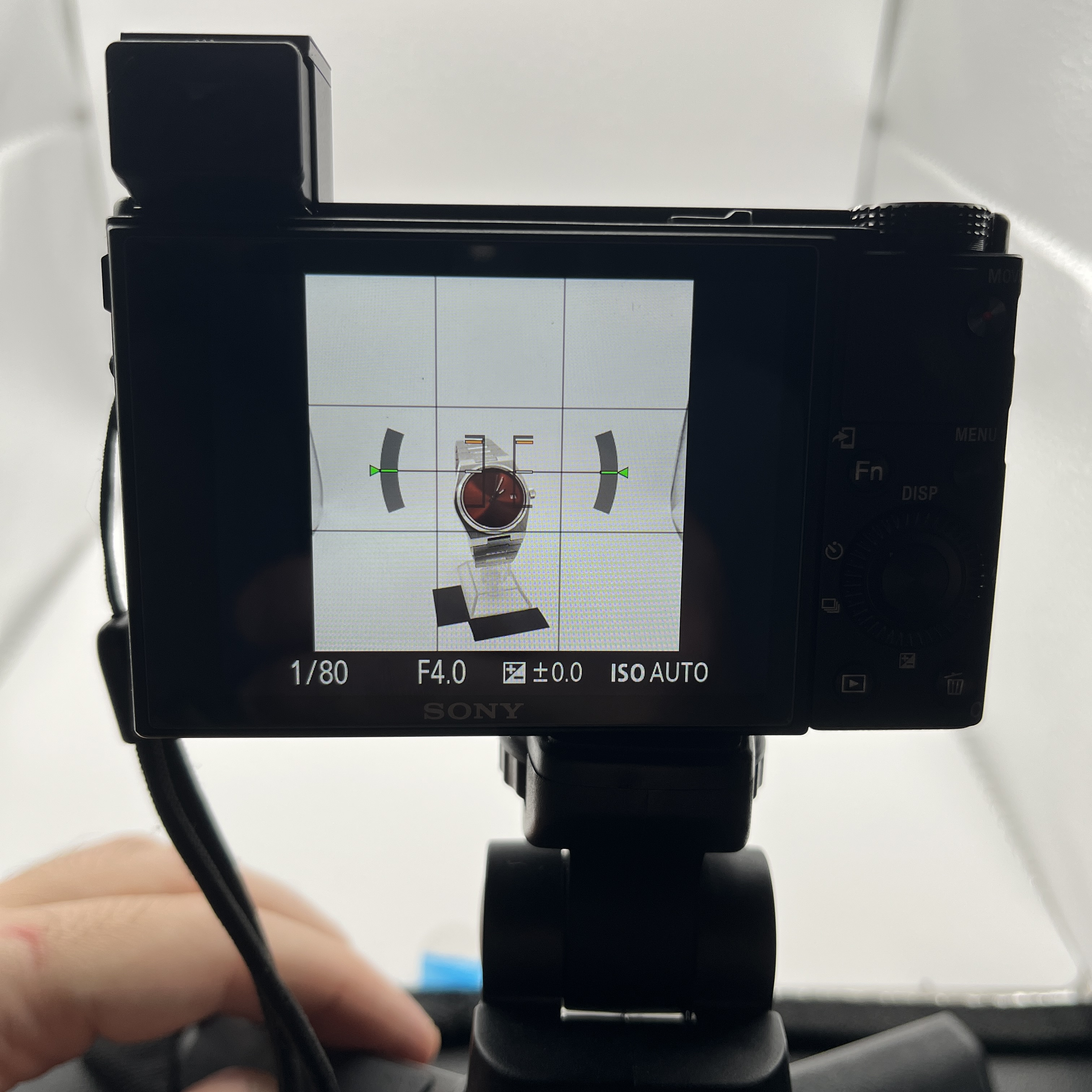
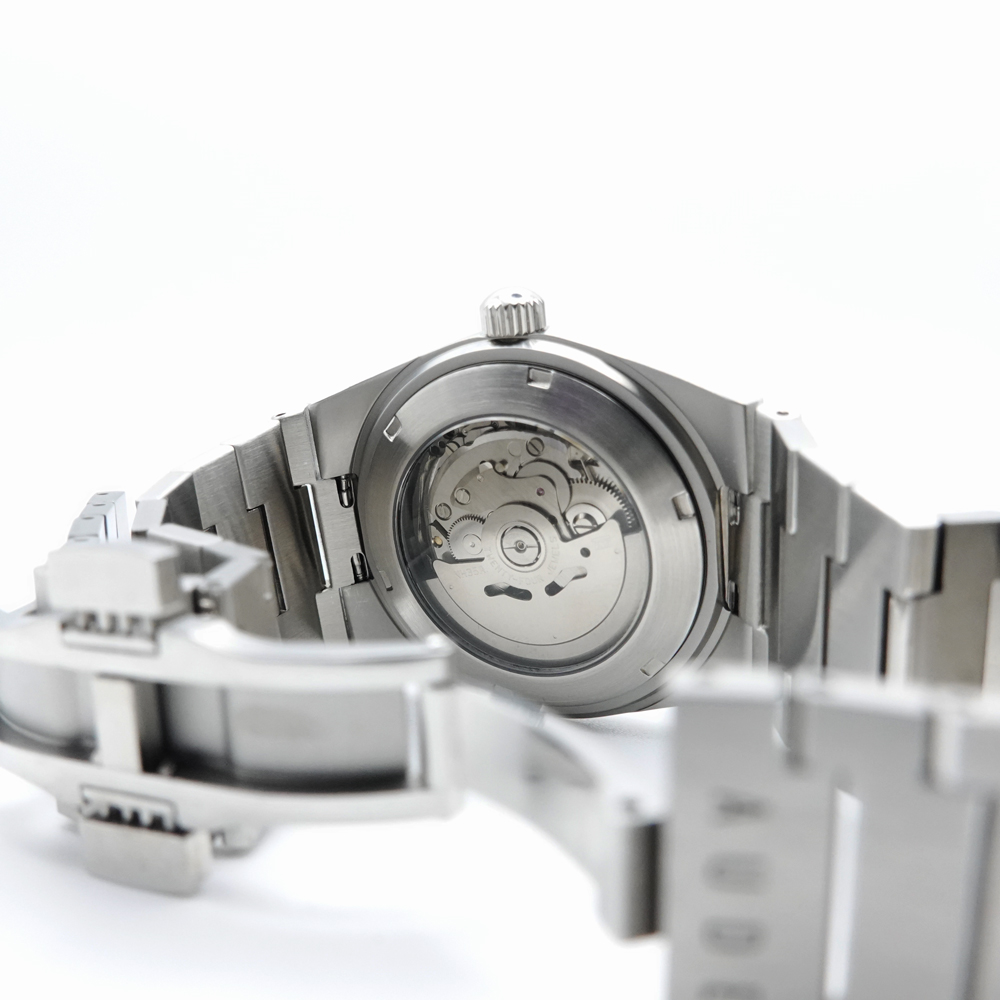
I assemble each watch by hand and take care of the full presentation: product photography, post-production editing, packaging, and laser engraving (xTool F1).
This hands-on work helps keep the digital experience honest and consistent with what customers receive in real life.
Marketing
Marketing is an area I am still growing, but I understand how important it is for an independent brand.
I set up AUDE's Instagram as a simple starting point, sharing the first product posts and early visuals to build awareness and document the journey.
This is an ongoing focus, and I plan to keep improving content quality and consistency over time.
AUDE launched as a live, production-ready e-commerce platform.
The outcome is a complete system that connects design and engineering to real operations: product management, payments, order handling, and post-purchase workflows.
6
Physical watch models ready to sell
30+
People reached through early organic launch
3
Illustrators confirmed for collaboration
This project strengthened my ability to work as a true hybrid: translating UX into production systems, making architectural decisions, and shipping a complete product that operates beyond the interface.
Next Steps
AUDE is designed as a long-term project rather than a finished product. The next phase focuses on growing the brand, strengthening the platform, and moving from launch to traction.
Planned next steps
Release new watch models and limited collections
Refine the front-end architecture and improve performance and UX details
Harden back-end logic, edge cases, and monitoring
Improve transactional emails and branded templates
Expand the admin dashboard with clearer business insights
Build a consistent content and marketing rhythm around the product